Kagi Search
Introducing SlopStop: community reporting to reduce low-quality AI content
Today we're releasing SlopStop, our first step in collaborative filtering. This allows our community to directly improve search quality for everyone! Read the full announcement here!
Low-quality AI content is flooding the web. Kagi’s ranking already downranks and filters much of it. SlopStop gives you a simple mechanism to help us keep results even cleaner and more authentic.
How it works:
- If you see low-quality AI content in web, image or video results, click the shield icon next to the result to report it. If something is flagged in error, use the same control to report the mistake.
- Check your reports statuses in Settings.
- We verify reports alongside our own signals. When a domain or channel is confirmed to primarily publish AI content, we deprioritise it in Kagi.
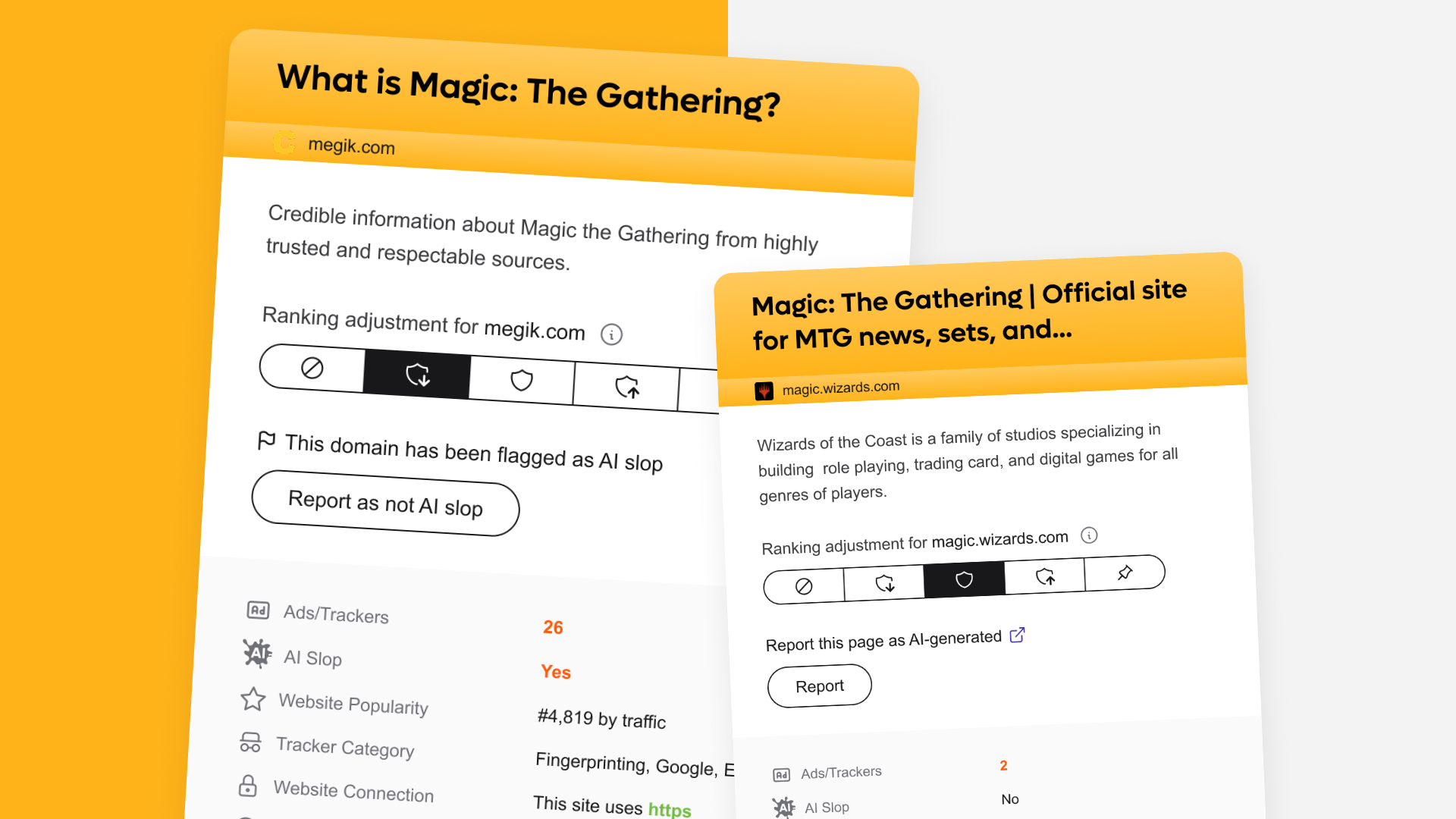
You can read more about this initiative in our annoucement blog post or in our documentation.
Highlighting surveillance actors
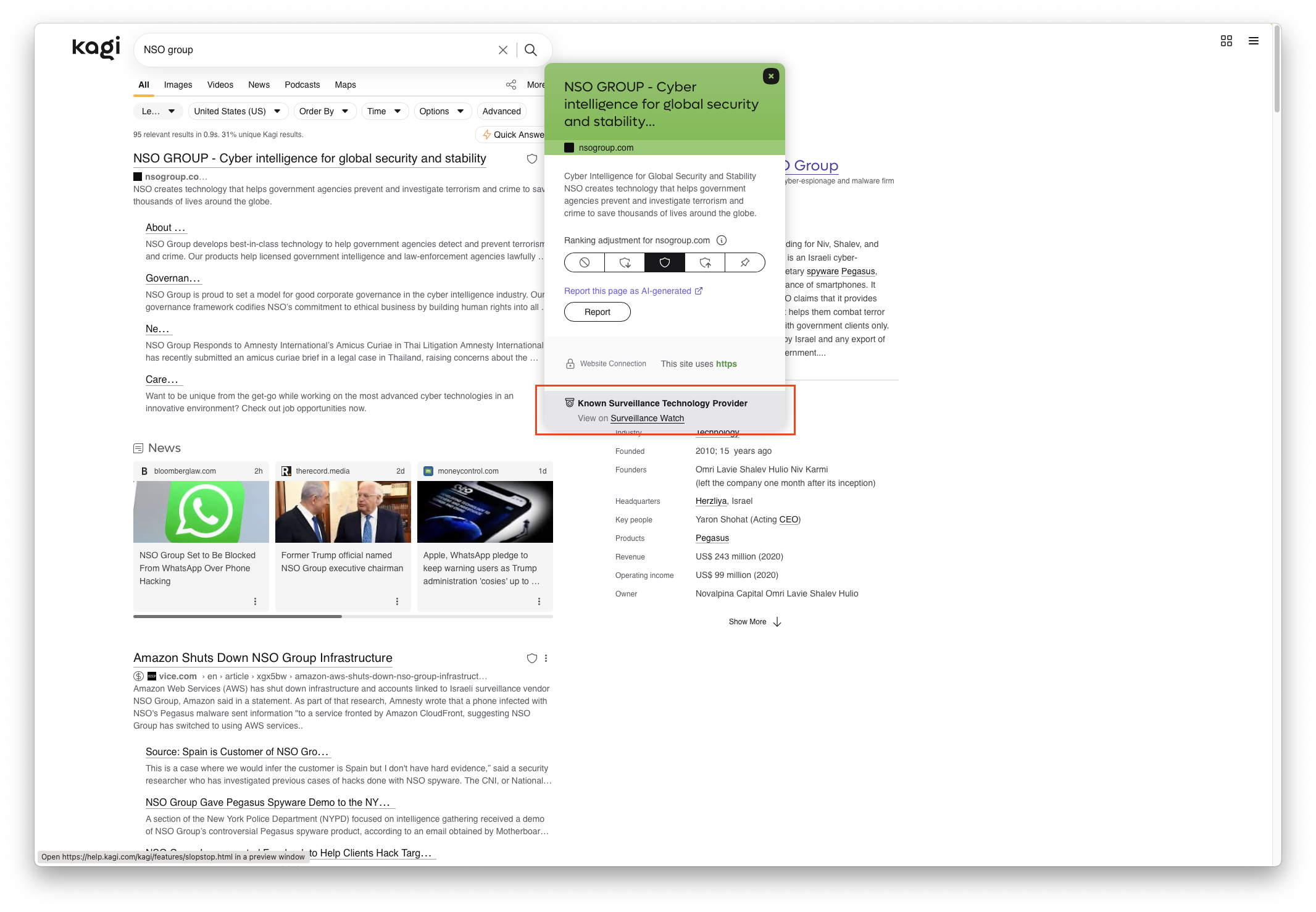
We've integrated with Surveillance Watch, an interactive database that documents surveillance and spyware entities. When you visit a domain on their list, we'll display a banner to alert you.
Other improvements and bug fixes
- Results show centered despite the setting being set to "Left" #8886 @vaartis
- Feedback on the new Quick Answer experience on mobile #8729 @Jesal
- Add option to auto trigger Quick Answer when submitting an edited query in which Quick Answer previously was used #6769 @RoxyRoxyRoxy
- Info panel display on 13# laptop #7810 @kirkmc
- Quick answer doesn't work when Privacy Pass is enabled #8731 @laiz
- Blocked Domains still show up in video results #8694 @MCWhitaker
- Timer auto started when searching for usb/spi device id #8216 @kagi6741
- The !cpp bang doesn't work #8699 @exzombie
Kagi Assistant
Kagi Maps
- Improved preloading of POI data
- Caching maps search results #8068 @Boomkop3
- Map doesn't recenter after dismissing sidebar #8099 @tuesday
- Clicking a POI on the map seems to selects closest match, not actual POI #8317 @Cybolic
- Kagi Maps ignores 24-hour clock preference and shows 12-hour times #8560 @Gilfoyle
- Maps will open POI after dragging or zooming if any finger lifts while touching a POI #8847 @Lousy
- Restaurant search near poi seems to miss a lot of locations #7608 @Thibaultmol
- Globe off-centre when zoomed out. #8291 @tsr
- An option to submit corrections to the map #8281 @Boomkop3
- Make sorting preferences stick across searches #8198 @Boomkop3
- The after-login redirect doesn't work for maps or assistant #8407 @Boomkop3
Kagi Translate
- Redesigned dictionary
- Translate renders the word "IBAN" using four different fonts #8720 @arty
- Add Scottish dialects #8850 @dreifach
- RSS feed for Kagi Translate Extension updates #8892 @BattleHawk
- (More) Chinese localization tweaks @CTAO
Kagi News
- Improved story filter to prevent generation of mundane news (non-news) @petelingo
- Less emotional/screaming TTS @hsiktas
- Chaos index experimental feature broken on mobile @xytronix
- Search and content filter should consider sub-category @laiz
- USA | Austin, TX category returns a 404 when navigated to directly @loganmccaul
Kagi Summarize
- 300+ languages added for mobile users
- Improved layout for right-to-left languages on mobile
- Liquid Glass design for iOS users
Post of the week
Here is this week's featured social media mention:
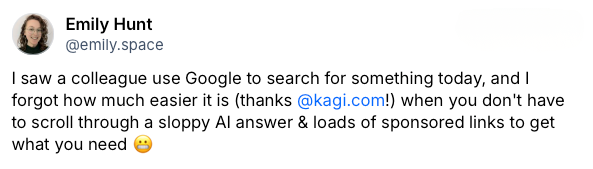
Follow us on your preferred social media platform and tag us with your feedback!
