Currently there’s a setting to turn off Instant Answers, but I want a setting to never see the quick answer icon at all, ever.
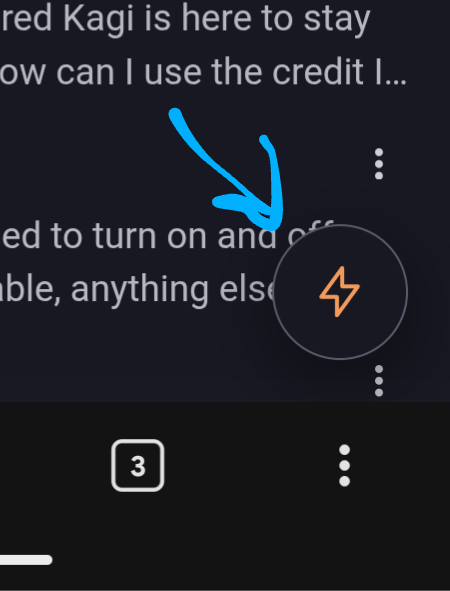
With the recent changes to mobile UI design, a bright orange, lightning bolt Quick Answer icon has been added to the bottom right of search results, covering text I may care about, and frankly I want to yeet it into the fiery sun.
I want to provide context- in the US, nearly the entire internet ecosystem has adopted antagonistic and hostile design patterns that shove little hovering/floating icons all over my screen, and they’re almost all for a garbage ai bot trying to offer unhelpful answers to non-existent questions. The rest of the internet has ruined this well-intentioned design now, because nothing makes me more irate than my chubby human fingers tapping a hovering icon by mistake and then having to deal with Clippy Jr.
I know I can save custom css, but that’s not a helpful solution if Kagi wants to scale for most people. I would love to have a new setting I can toggle so I never see the Quick Answer icon again in my personal Kagi experience.
In AI settings, a third toggle to hide Quick Answer from search results entirely
Alternatively- maybe under Appearance settings?- a setting that disables or hides any hovering/ floating icons from the mobile and desktop views would suffice as well.
Thank you for your time!