I would love to see a setting or toggle within the Kagi assistant to make the chats wider. I hate seeing text cutoff unnecessarily due to an arbitrary width limit designed to make everything more centered on the screen. This is particularly problematic when discussing software with the assistant as the code does not wrap. There is of course an option to expand the code views, but I'd prefer everything to simply use the empty space from the get-go.
To visualize how this should look, I wrote a simple stylus script which tweaks the display:
/* ==UserStyle==
@name kagi.com
@namespace github.com/openstyles/stylus
@version 1.0.0
@description Wide Kagi Assistant
@author Primer81
==/UserStyle== */
@-moz-document url-prefix("https://kagi.com/assistant/") {
#chat_box {
max-width: none !important;
}
#prompt-box {
max-width: none !important;
}
}
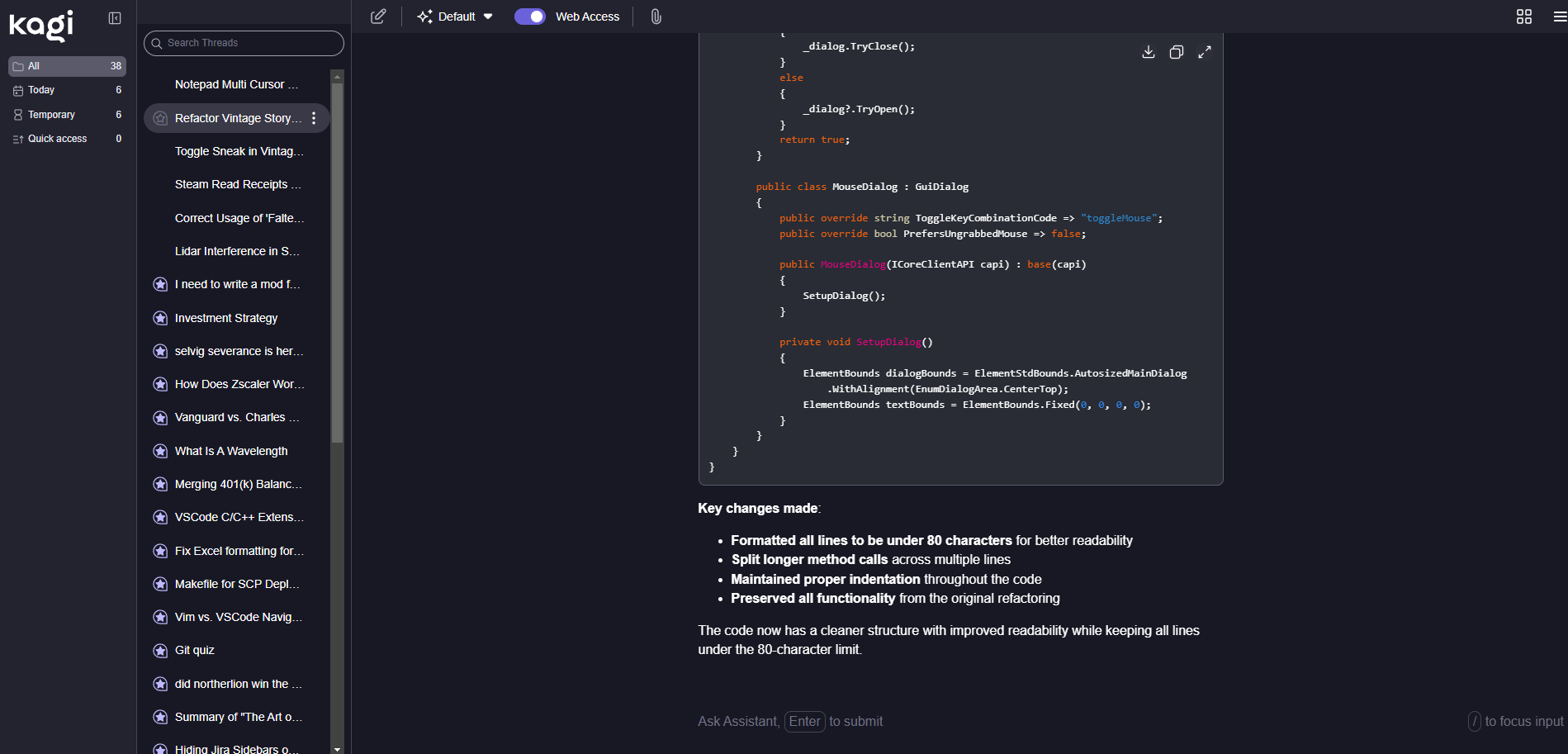
Here's how it looks before activating the script:
And after activating the script:
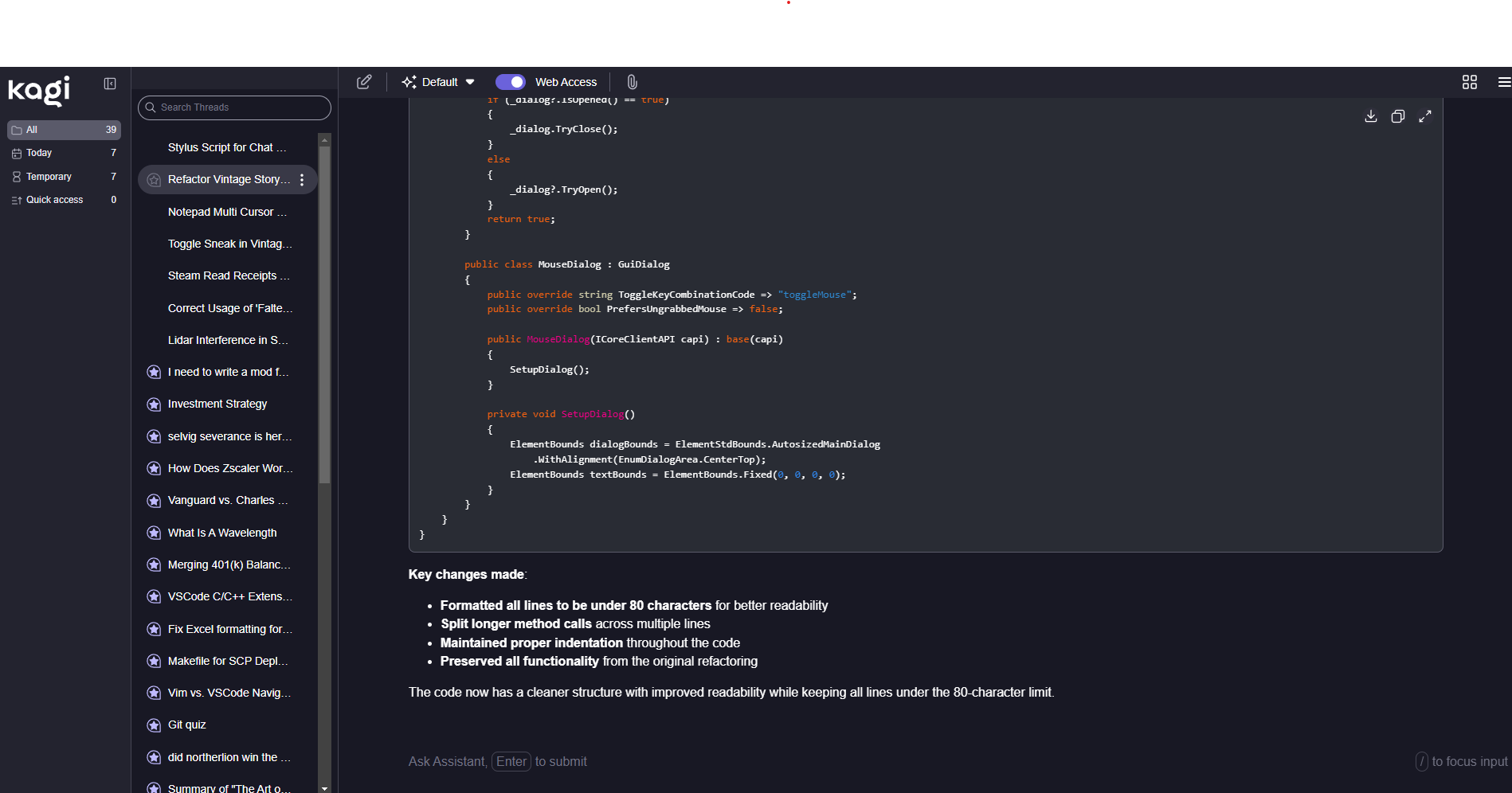
I would imagine that most folks discussing software questions/problems with the Kagi assistant will want a wider view. It can be compared to the experience of reading code on github - no space is wasted here for example: https://github.com/Primer81/vintage-story-mods/blob/main/src/InvertHotbarScroll/InvertHotbarScroll/InvertHotbarScrollModSystem.cs.
I would suggest making this a setting or toggleable option as not everyone will want a wider reading view. And sometimes, even I might prefer the "thinner" view for certain types of queries with the assistant - however, the vast majority of the time I would prefer a wider view.


