Giorgio As a user who cannot directly type characters in their target language using the keyboard, I cannot type into Kagi Translate at all after this UI overhaul. When typing use an input method with a candidate window, the user first type letters on the keyboard and then selects the appropriate characters from a list of candidate mappings based on the buffer content.
Expected Behavior
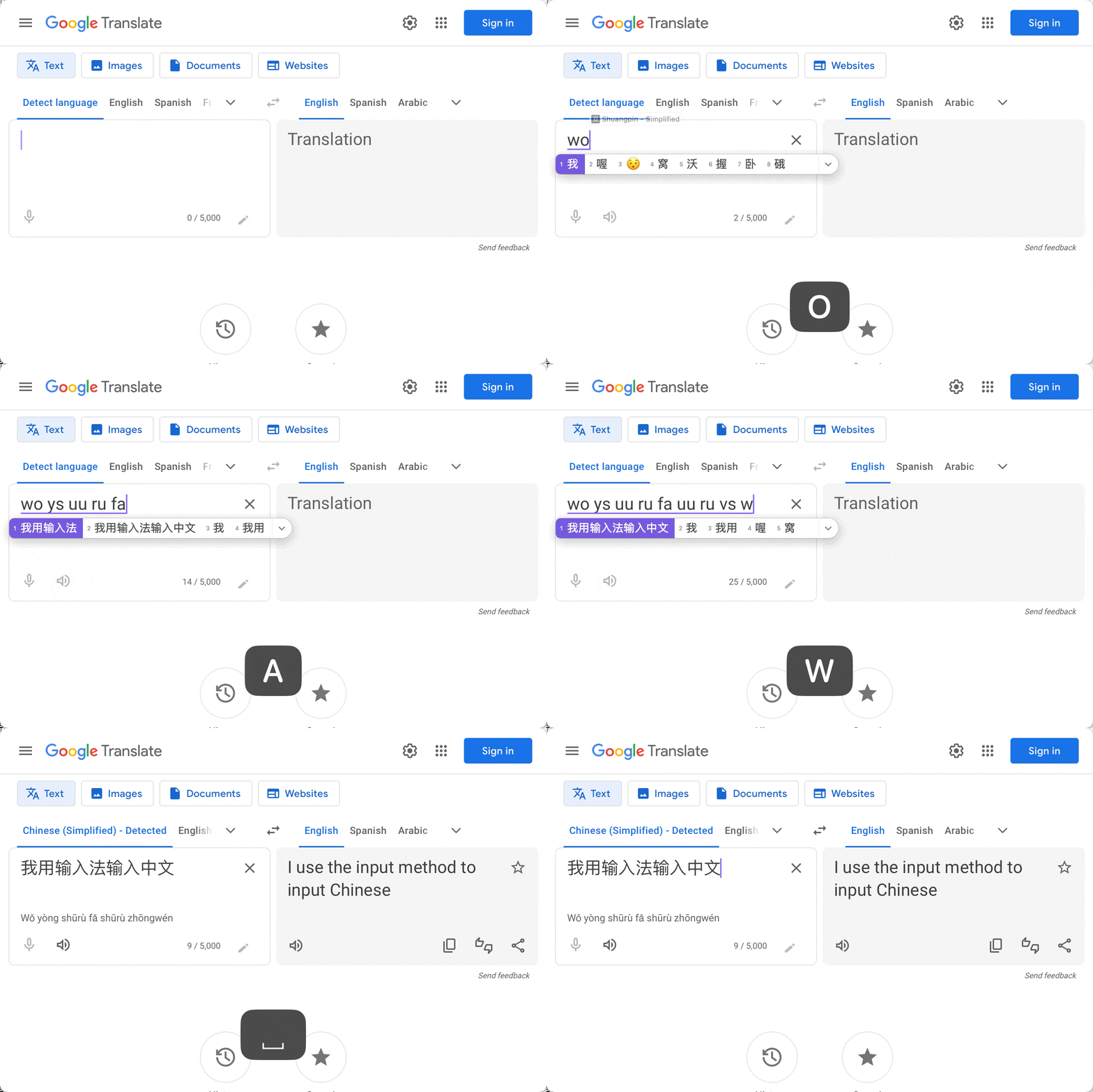
The input field and system input method should:
- Display all typed letters in an input buffer as the user types.
- Display a candidate window showing possible character mappings based on the whole buffer content.
- Allow the user to select the desired character from these candidates.
- Replace the buffer content with the selected character.
Example:
Actual Behavior
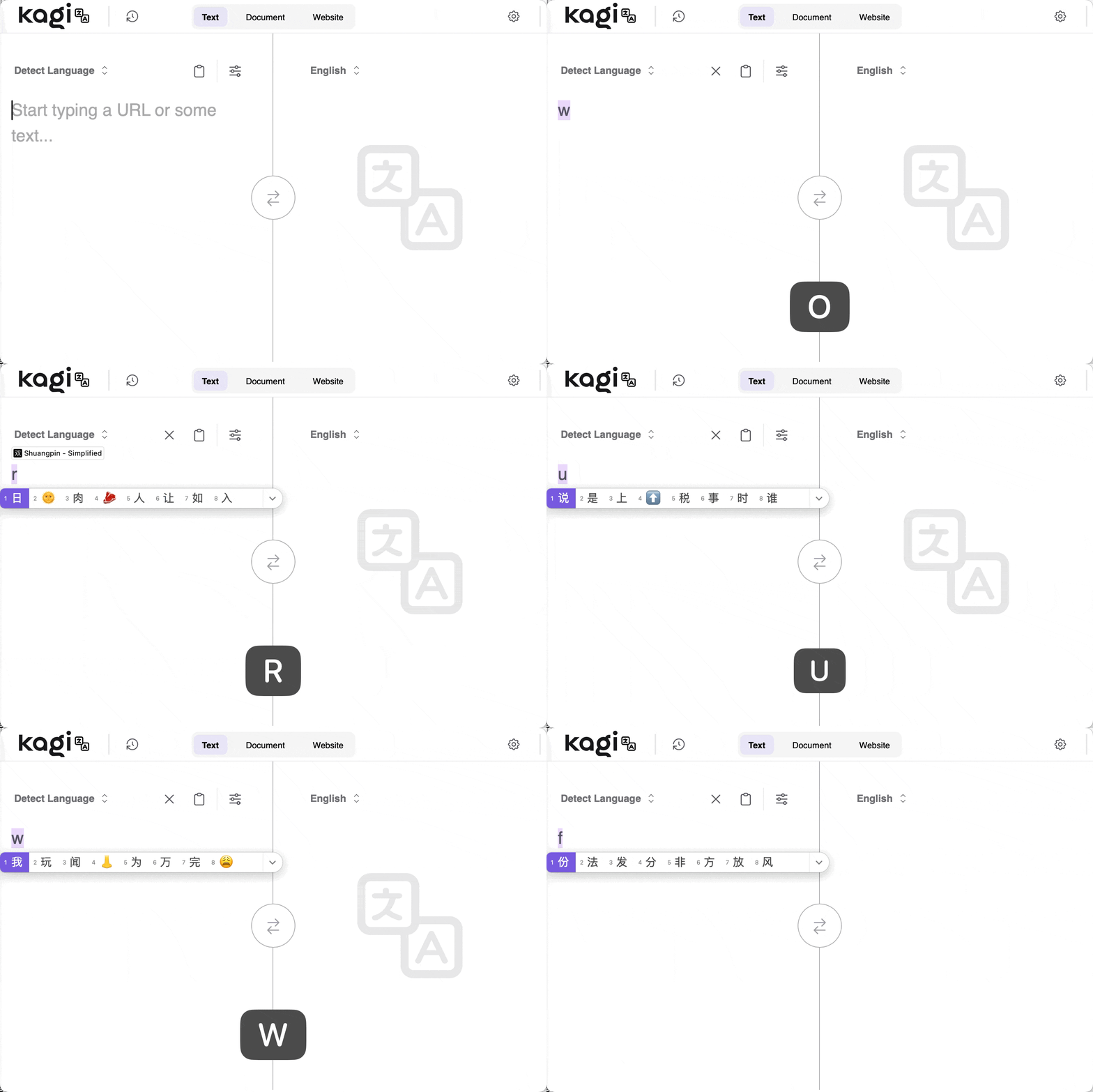
In Kagi Translate:
- It only records the most recently typed letter in the input buffer.
- The candidate window only shows options based on this single letter.
- The buffer is not accumulating keystrokes as needed for proper character selection.
- This makes it effectively impossible to type because the target language input requires mapping the complete input sequence.
Operating System: macOS 15.3.2 (24D81) & 15.4 (24E248)
Tested Browsers That Have This Issue:
- System Safari
- Orion Version 0.99.132.0.3-beta (WebKit 621.1.2.111.4)
Tested Browser That Works Correctly: