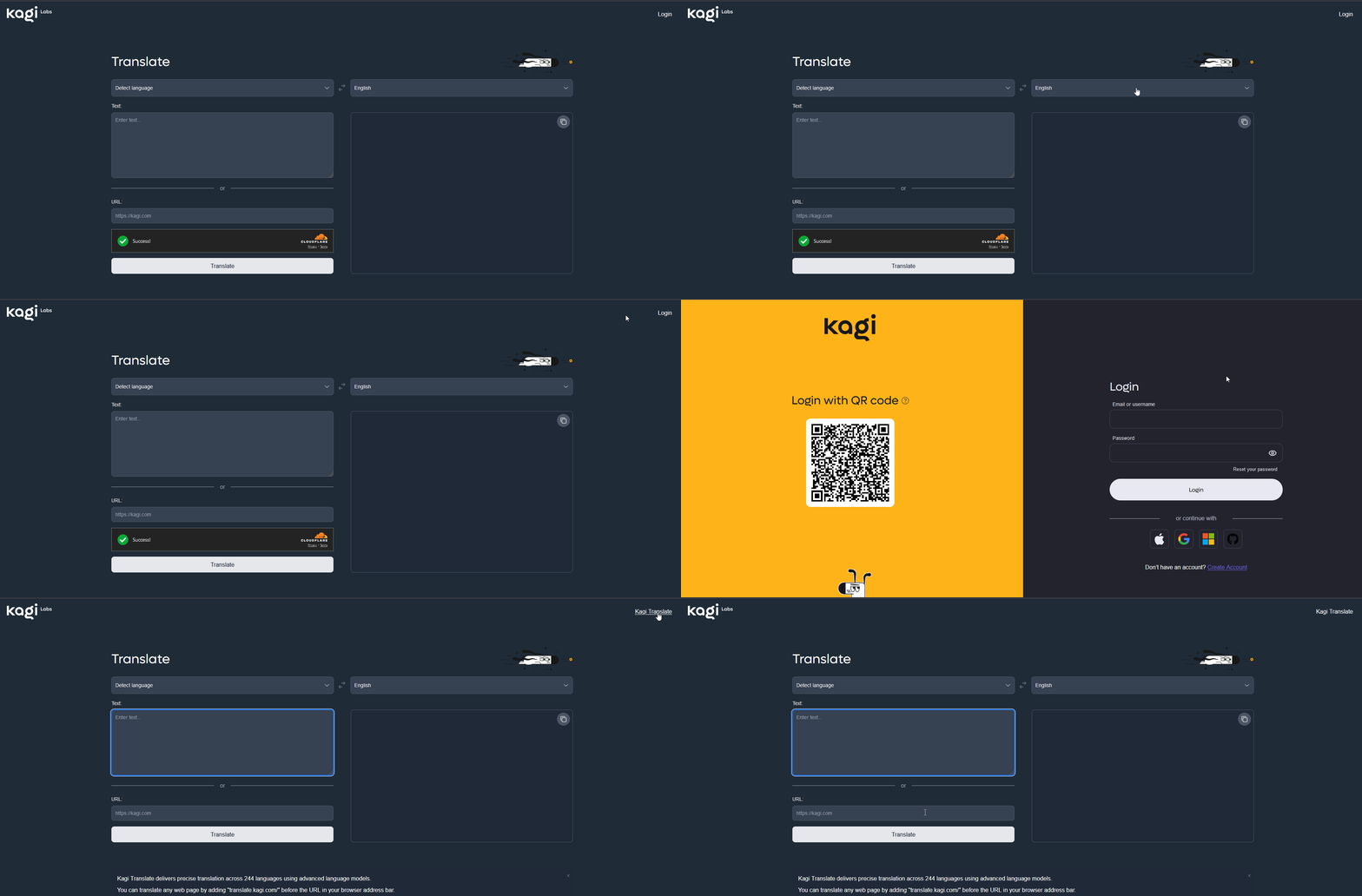
If I go to https://translate.kagi.com/ on a private tab or on a container tab (Firefox), the page display a "Login" at the top right and also a Cloudflare Captcha above the "Translate" button, which looks like I'm not authenticated.
If I click on "Login", I'm redirected to the https://kagi.com/signin page.
If I wait a few seconds I'm automatically redirected on https://kagi.com/ which is normal since I have a current session.
If I click on "Login", I'm redirected to the https://kagi.com/signin page and if I quickly make a "back nav", I'm back at https://translate.kagi.com/ but this time it says "Kagi Translate" at the top right and there's no Cloudflare Captcha, which looks like I'm authenticated.
Here's an example :
I'm expecting https://translate.kagi.com/ to work as any other Kagi page : I'm authenticated & I allowed the extension to work everywhere (private tabs included), so I should be seen as an authenticated user everywhere.
Most of all, as an authenticated user, I don't want to suffer Captchas.