When opening the context menu (the three dots) on a inline news or video result, it doesn't pop out in front of the result but is trapped inside the frame or window of the widget.
This can be reproduced by having a smaller browser width or setting the font size in Kagi appearance settings to large.
Steps
- Go to settings > appearance > font size > set it to "Large".
https://kagi.com/settings/appearance
- Search something on kagi like "superman".
- Click the three dots on inline news and videos widgets.
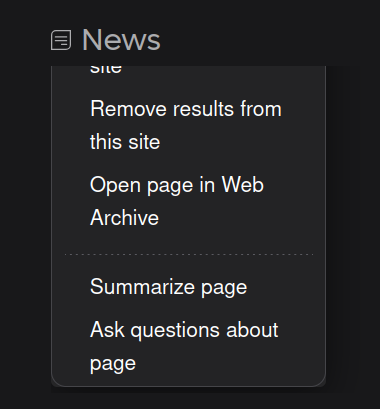
Expected: The context menu to display outside the widget frame.
