When copying text from an image on the Photos app to Kagi Assistant, the text output is formatted weirdly and is incorrect. In the below screenshots/recordings the Safari web app is used, but the issue occurs when copying directly to Kagi Assistant running within Safari/Orion too.
Photo/Text
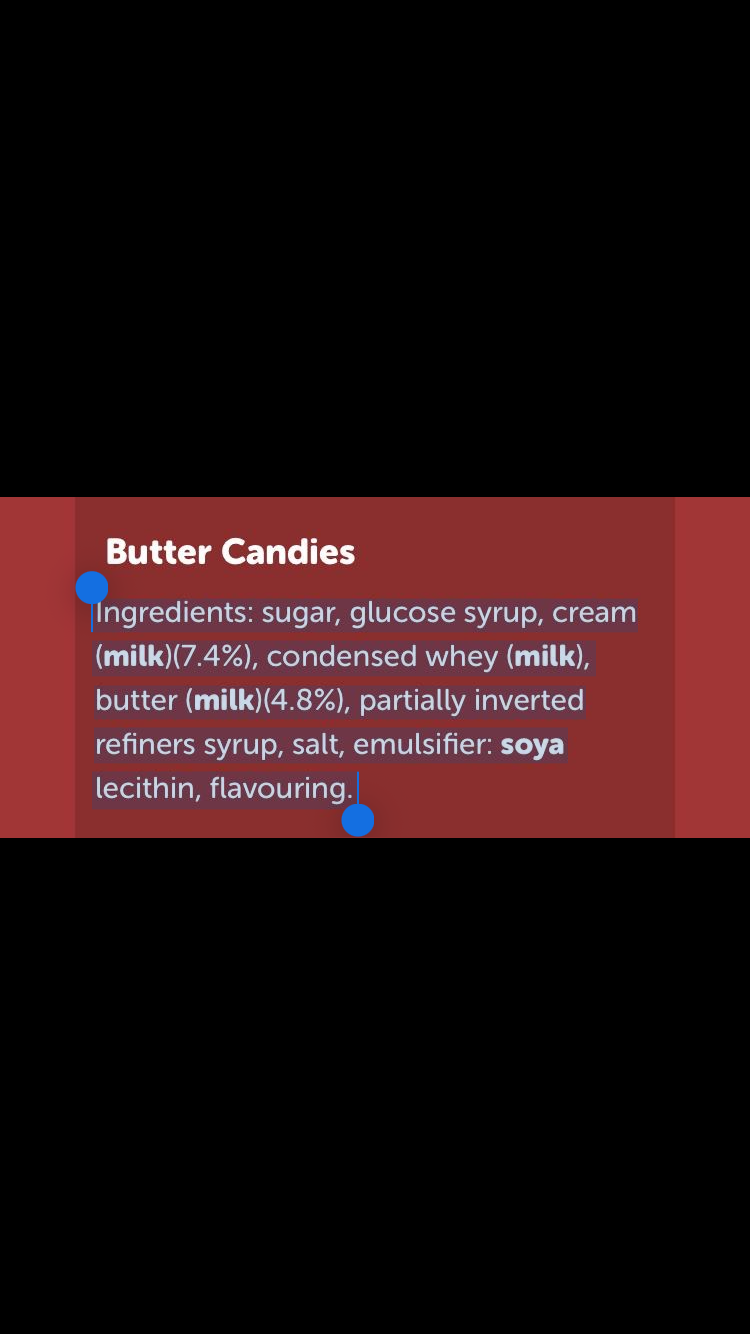
Output (after copying and pasting)
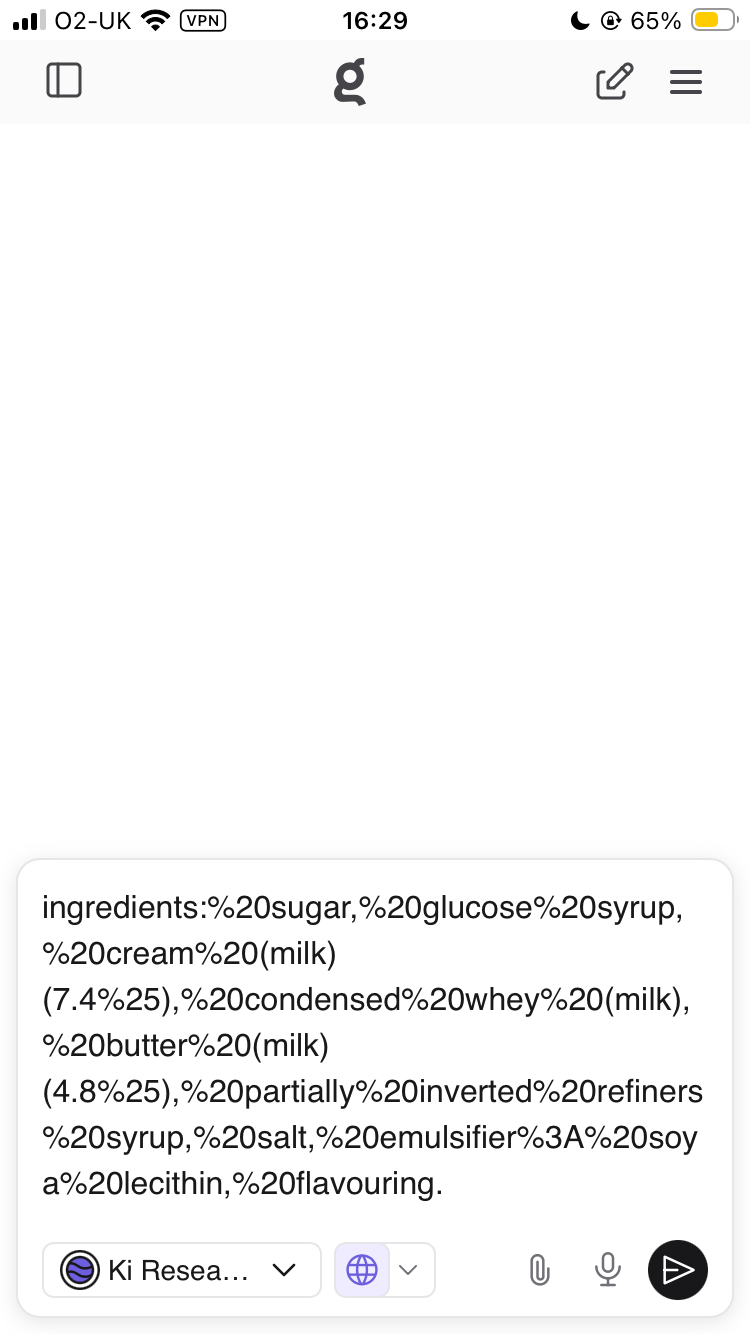
Below is a screen recording of me copying and pasting the text into Safari, Orion, Notes, and Kagi Assistant respectively. The issues only arises for Kagi Assistant.
Importantly, this bug only seems to arise when copying and pasting directly from the Photos app. The below screen recording shows me copying and pasting from Notes, and the issue does not arise.
This bug also does not occur on desktop. See a demonstration of this below (running macOS 26.0.1).
For reference, I am running iOS 26.0.1 on an iPhone SE 3.
