When a lens (e.g., "Jobs") is disabled in Kagi settings, it correctly does not appear in the main Kagi Search interface. However, the same disabled lens remains visible and selectable in the Kagi Assistant's lens selector dropdown.
Steps to reproduce:
- Go to Settings > Lenses and disable a lens (e.g., "Jobs").
- Perform a search on the main Kagi Search page and open the lens selector — the disabled lens is not present.
- Open Kagi Assistant and click its lens selector dropdown — the disabled lens appears and can be selected.
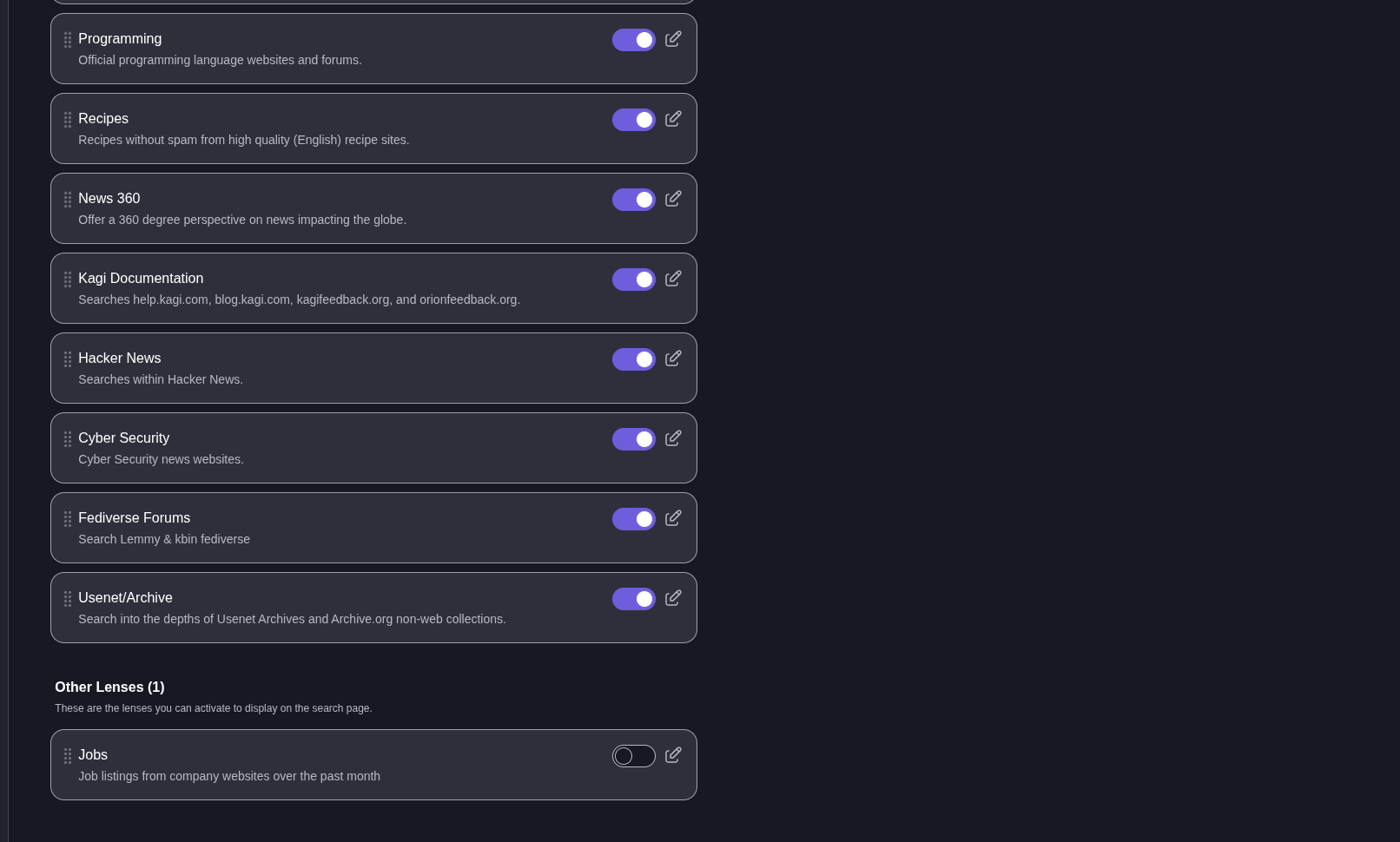
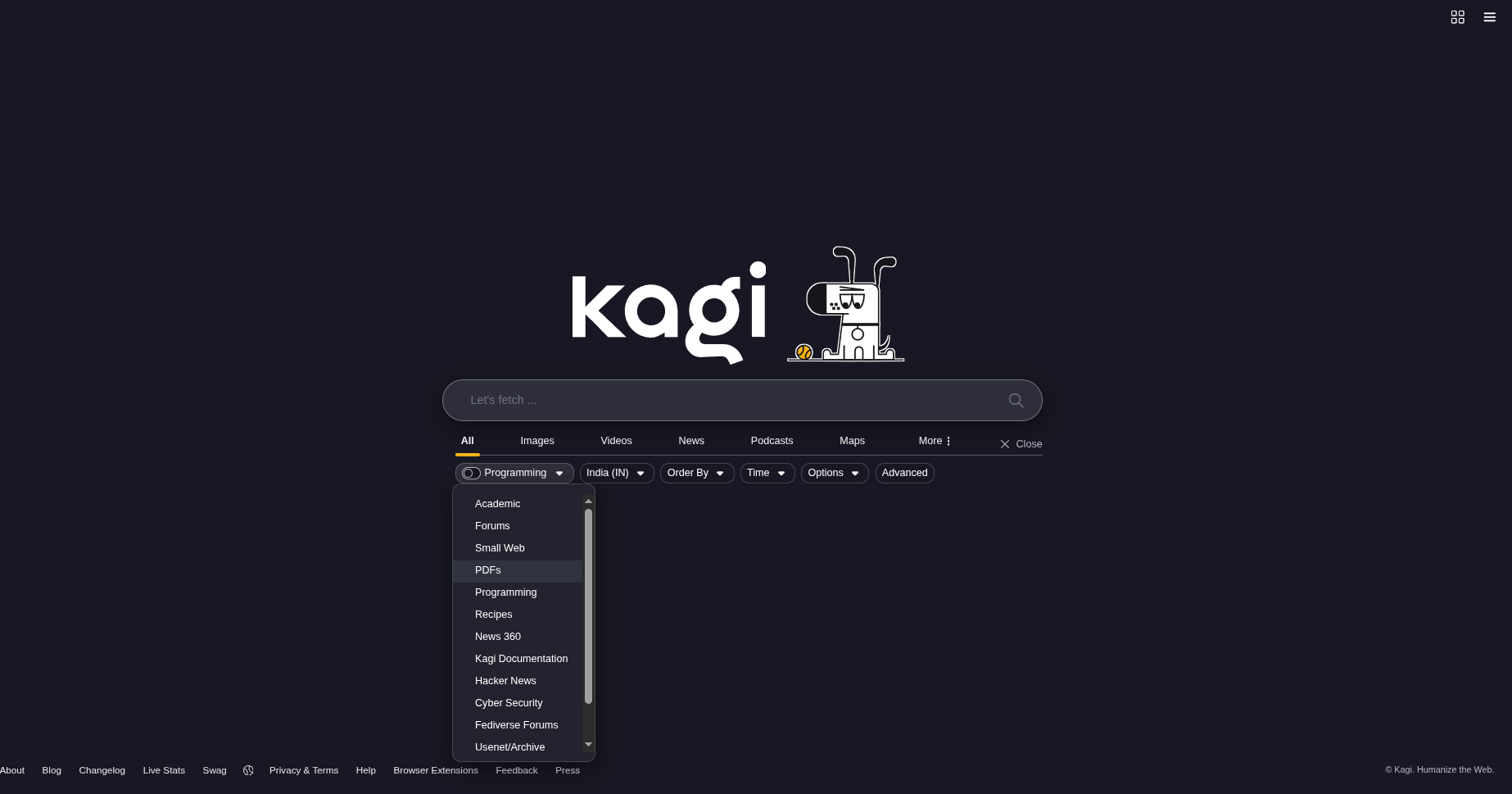
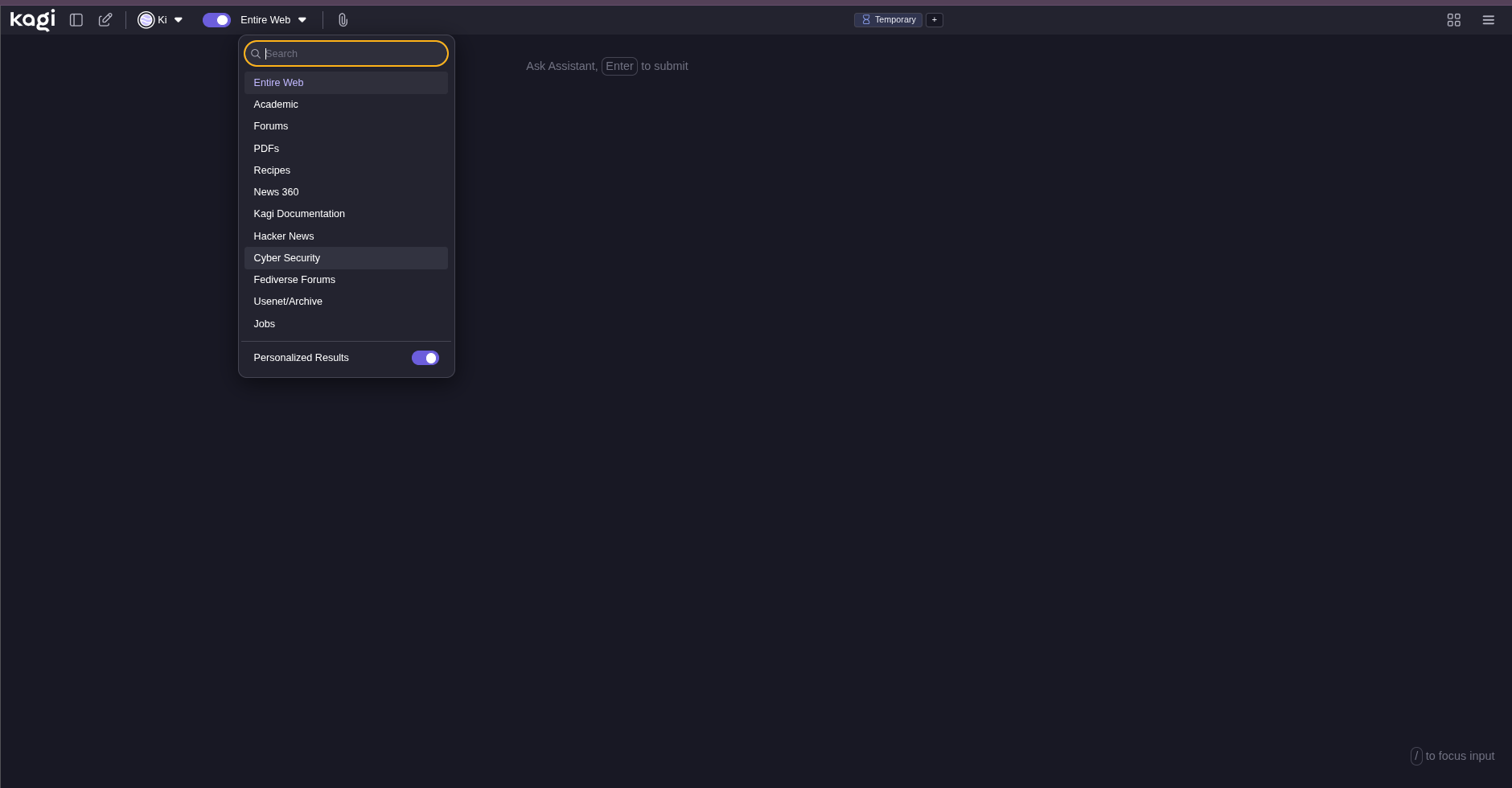
A lens disabled in user settings should be consistently hidden across all Kagi interfaces, including both Kagi Search and Kagi Assistant. The current behavior creates confusion and undermines user control over their search experience. The expected functionality is that disabled lenses are universally excluded from all lens selectors unless re-enabled by the user.
