This feature requests adding a dedicated button (typically a small diagonal arrow icon) at the end of each search suggestion item that allows users to populate the search box with that suggestion without immediately executing the search. This enhancement would primarily benefit touch interface users on mobile devices and tablets, while remaining non-intrusive for desktop users. The feature would improve the mobile search experience by providing precise control over suggestion selection, reducing accidental searches, and allowing users to modify suggested queries before searching. It would seamlessly integrate with existing search suggestion functionality without disrupting current workflows.
Users would interact with this feature in the following scenarios:
Mobile Query Refinement: A user types "python programming" and sees a suggestion "python programming tutorials for beginners." Instead of accidentally triggering a search by tapping the suggestion text, they tap the arrow button to populate the search box, then add "2024" before searching.
Exploring Related Terms: When typing "climate change," users could tap the arrow on suggestions like "climate change effects" to load it into the search box, review the query, and potentially modify it further.
Avoiding Misclicks: On touch screens where precise tapping is challenging, users can confidently select suggestions without fear of immediately executing an unintended search.
Implementation Examples:
Google Search (Android/iOS): Features diagonal arrow buttons at the right end of each suggestion
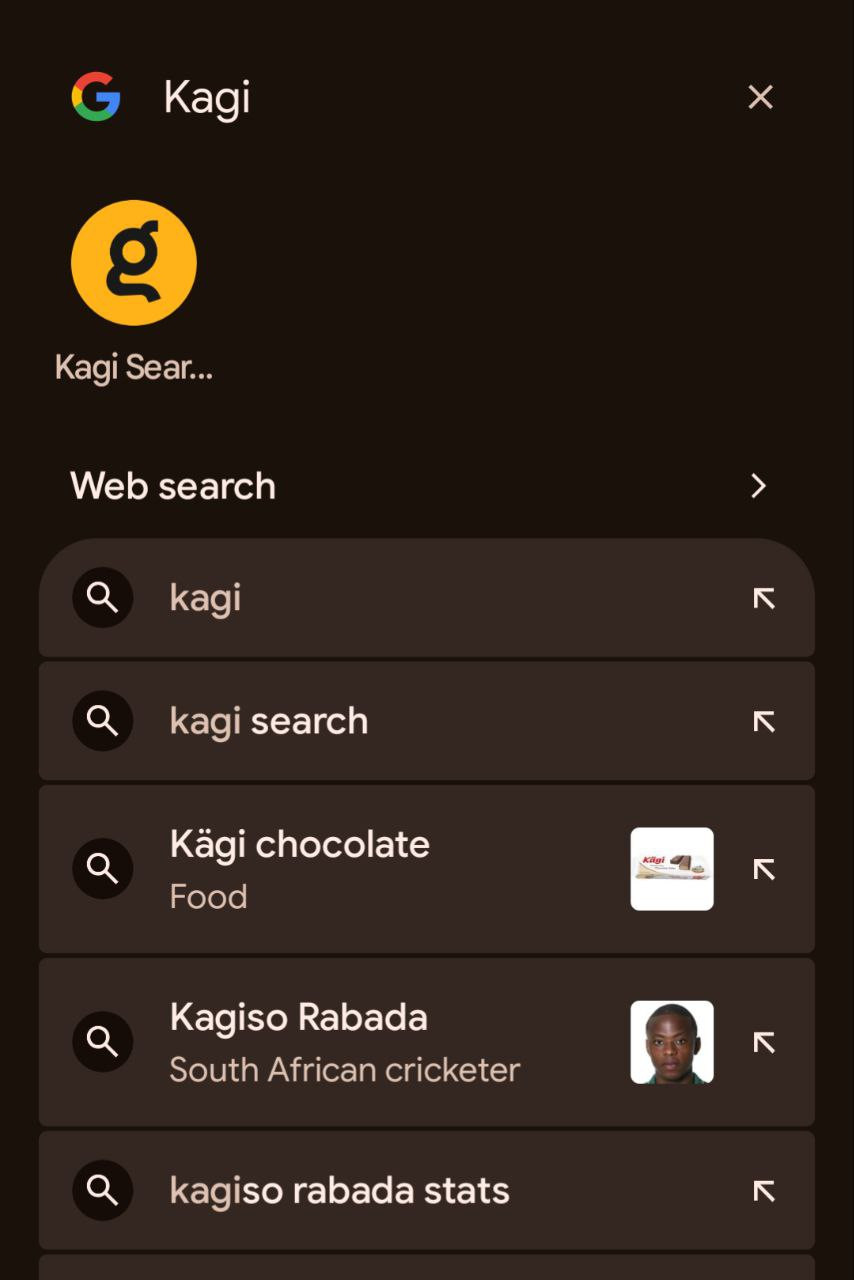
DuckDuckGo Mobile: Implements similar arrow icons for suggestion selection
Safari iOS: Uses upward arrow buttons for this functionality
Technical Integration: The feature would add clickable/tappable arrow icons positioned at the right margin of each suggestion item. On desktop, these arrows would be subtle and complement existing keyboard navigation (up/down arrows), while on mobile they would be appropriately sized for touch interaction. The current suggestion selection behavior would remain unchanged, providing this as an additional interaction method rather than a replacement.
