On an Android 13 phone with Firefox 142, I set Kagi as my default search engine and used the web normally for about a day. During this time at least five times I saw, after entering a search from Firefox's search widget, a failure where Kagi showed up as an empty white page:
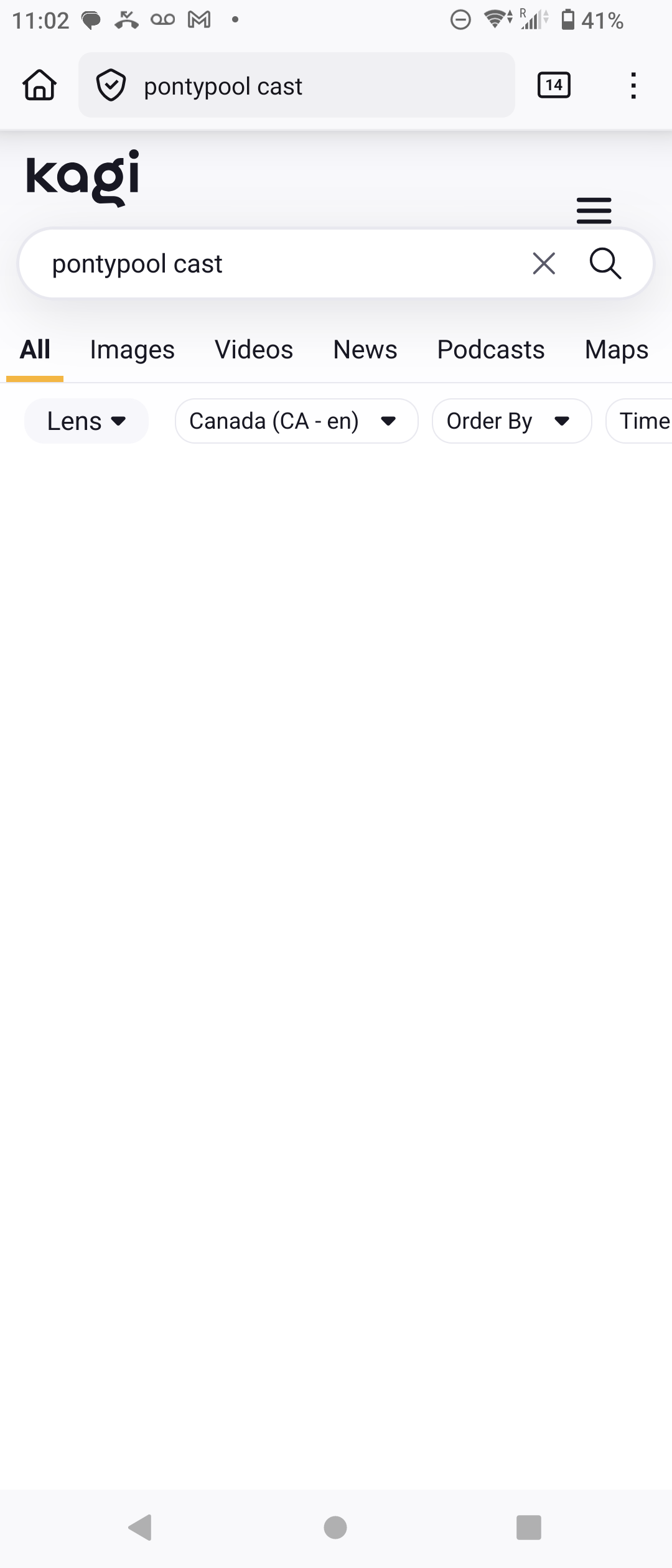
When I initially saw this, I was using uBlock Origin, and also I was on the bus. So I thought it might be either caused by UBO or bad cell service. However then I turned off UBO completely (not just on Kagi) and the problem did not disappear. The above screenshot was taken on wifi with UBO disabled.
After seeing this for about a day I switched from Firefox to Chrome and set Kagi as my default on Chrome. I have not seen the problem on Chrome for Android. Also, I have at no point seen the problem on Firefox for desktop (Linux or Windows, in both cases with UBO). I was not using Kagi custom CSS when I saw the problem.
In all screenshots exhibiting the problem (I have three others) the vertical alignment of the hamburger menu looks weird. I don't know why. It's not like that normally.
Expected behavior(s):
If kagi is unable to reach the server on entering a search, it should display an error message, so I know to try again.
Kagi should act the same on Firefox as Chrome.
uBlock Origin with default settings should not cause Kagi to malfunction.
