I've noticed this issue several times now. Sometimes Kagi will just default to English even when I change the dropdown underneath the search bar to "Netherlands". Which makes sense, since my interface language is set to English.
However, to change this behaviour I have to go into the general kagi settings and change my region there. Then it does show me Dutch results. However, changing my interface language back to English does not give me English results again. Now it's stuck on Dutch, unless I set the region setting back to international.
An example here, trying to translate 'Haven', the Dutch word for Harbor. (Haven in English is similar though)
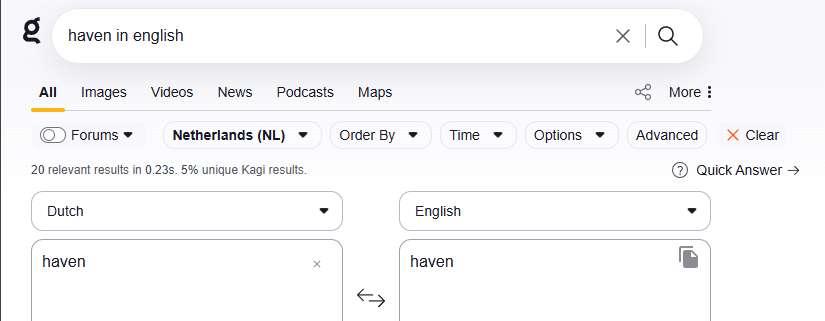
then trying it with a sentence:

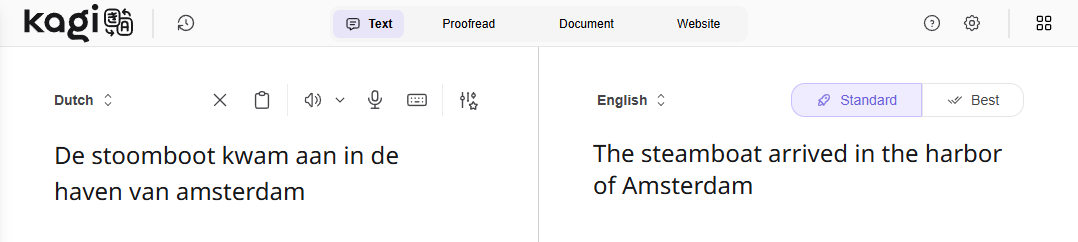
That's better, but didn't help me find the word I was lookinig for (harbor). Kagi translate did get it right:
I also tried typing "haven wikipedia" (translating by change the wikipedia language dropdown). but I forgot to set it to international search. So I got the english wikipedia article. So I changed the dropdown to Dutch and... got the English article again. Then I went in to change the region setting in Kagi settings.. still English. Then I changed the language dropdown in kagi's main settings to Dutch, and that did get me the Dutch wikipedia article. Now I can change the language dropdown in wikipedia to find the english version. Just to find wikipedia wasn't helpful*
Also also, changing my interface language back to English did not change my search result back to english. Instead, it now works as expected, the search region dropdown pulls the right language. (I suspect this is cached now)
This inconsistency makes it rather tedious to have to go into the main settings to actually have the region/language apply properly. The fact that it is then cached and I can't go back in time to take screenshots doesn't help.
*(why wikipedia wasn't helpful)
- the english article 'haven' doesn't have a dutch translation
- the dutch article 'haven' has an english translation 'port'. Close enough, I suppose
The region dropdown should change the region appropriately. Not only after also changing the interface language in settings.
