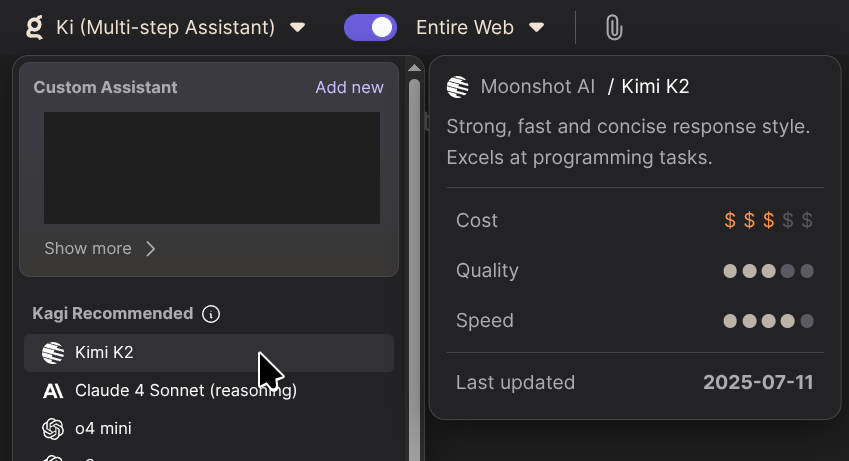
__ This feature already exists on the desktop version. As seen in the attached screenshot. I would like to see it on the mobile Kagi app when a user holds or taps a model name. This would help mobile users decide what model to use.
fs1010 I agree that there should be a way to view the modal on mobile, but I think a button would be better, as a tap is already used for selection and hold might work differently depending on the operating system (iOS/Android). They could add a small info button to the far right of the model name, and leave the middle for selection for example.
nicole5978 This should be available on mobile. It can be tricky with the limited real estate small screen sizes have, but we will explore how and where to display this information. Thank you for the suggestion!
tuesday On desktop, you can hover over an AI model in Assistant to see info about its use cases and benchmarks. AFAICT, there’s no way to see that in the mobile interface. Since hovering isn’t a thing on mobile, maybe this could be done with an info button?