Summary
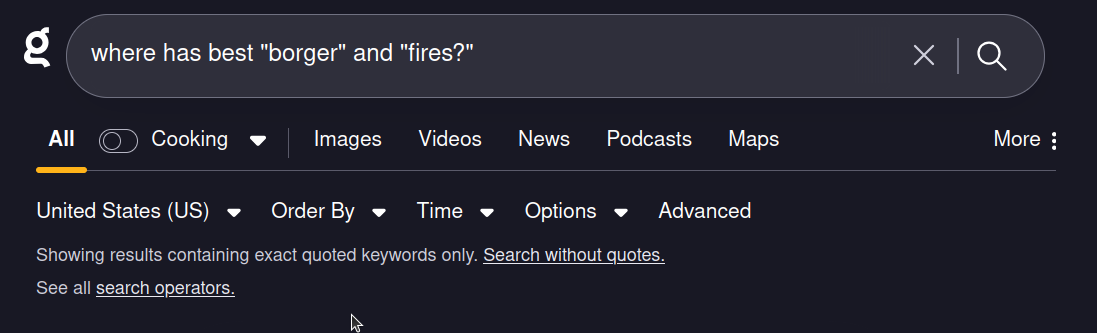
If you use the search box with the instant summary option and the last term (the one touching the question mark) is misspelled, the "Search instead for" link points to a version that includes the question mark in the quotes! This forces the user to edit the search in order to use the instant summary, when Kagi could instead know to quote differently when the instant summary shortcut is on.
Before

After
Setup
Make a search with the last word misspelled and a question mark following for instant summary (ex, Where has best borger and fires? link)
Click on the "Search instead for" link.
Observed Behavior
Search is modified to include quotes around the potentially-misspelled term and the question mark (ex Where has best "borger" and "fires?")
Expected/Desired Behavior
Search is modified to include quotes around the potentially-misspelled term but not the question mark (ex Where has best "borger" and "fires"?)
Note: It could be the case that Kagi team thinks it is wiser to only have this behavior exclude the question mark when instant summary is on, but have the naive replacement run otherwise.
