- Navigate to the search 'Images' interface
- Look at the reverse image search icon (camera icon) positioned in the top-right area of the search bar
I should note that the search icon will go to the same color when typing.
Without typing:
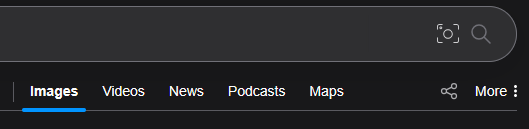
With typing:

The reverse image search icon should be:
- Consistent with the overall visual design language, color also looks a little off
- Properly sized / ratio'd and positioned within the search bar area
Take a look at https://www.svgrepo.com/vectors/image-search/ for some open-licensed SVG vectors
Now even this looks a little off since the line width is a little too fat but imo it looks better

