When Quick Answer shows a table wider than the screen on iOS Safari, the table is cut off at the right edge and can't be scrolled sideways, so the right-hand columns can't be seen at all. Text outside the table wraps normally.
- On an iPhone, search for something that makes Quick Answer return a table with several columns, for example: "compare kagi vs uruky in a table with four columns?".
- Try to swipe left on the table.
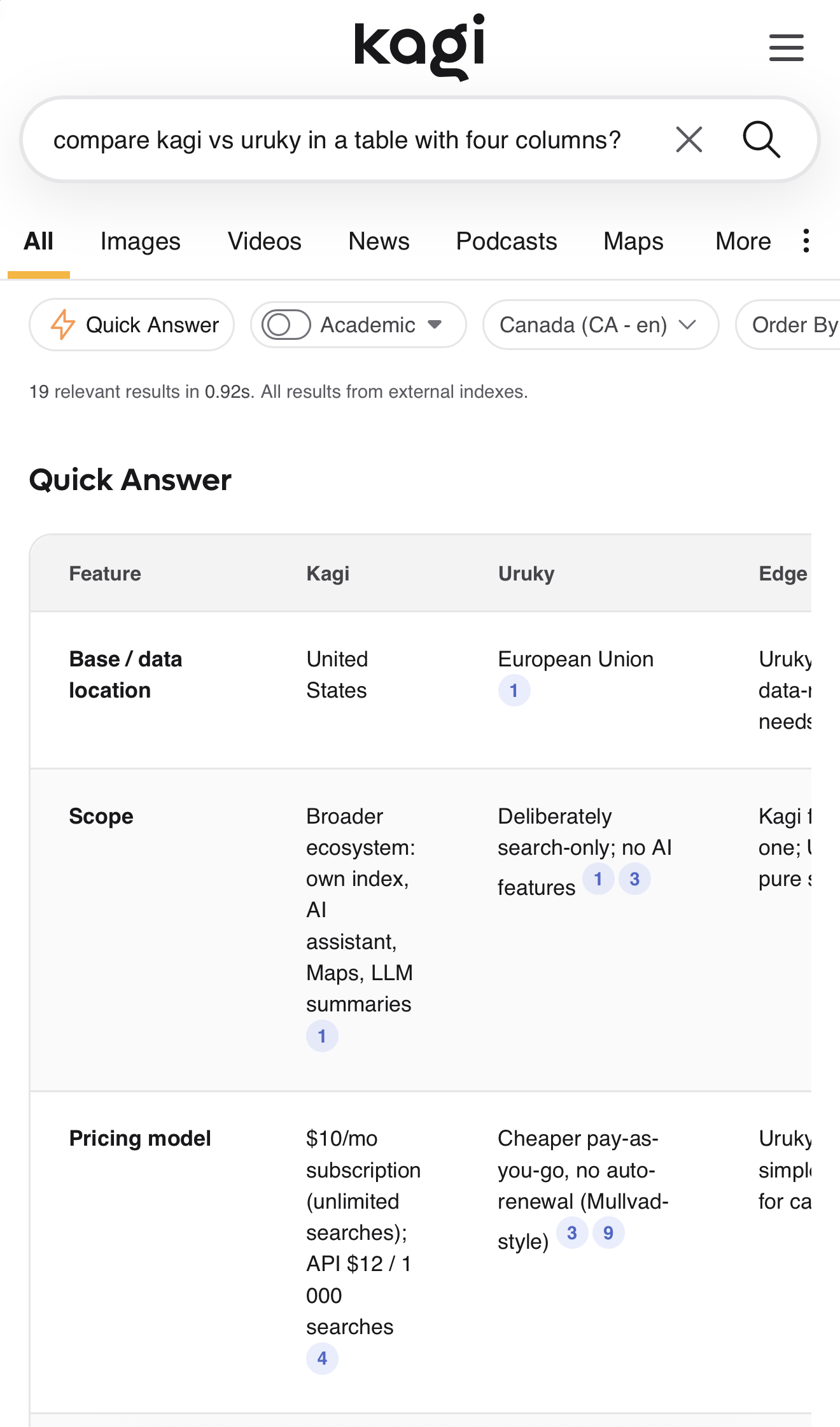
Wide tables should scroll sideways inside the Quick Answer box, or fit to the screen width, so every column can be read.
