What it entails & what it's for:
Currently, in the "Content Language" settings, users only have two choices: "Source" and "English" (with a note saying "Currently only English is supported"). I suggest adding a "Custom Language" option (e.g., a dropdown menu) so users can select their native language (like Chinese, Spanish, French, etc.). This feature is meant to break the English-only limitation and provide a localized reading experience.
How it affects UX:
Right now, non-native English speakers are forced to read English content or use external translation tools, which is frustrating and breaks the reading flow. Adding custom languages will make the app much more accessible and user-friendly. It shows that the platform cares about global users, significantly improving user retention and satisfaction.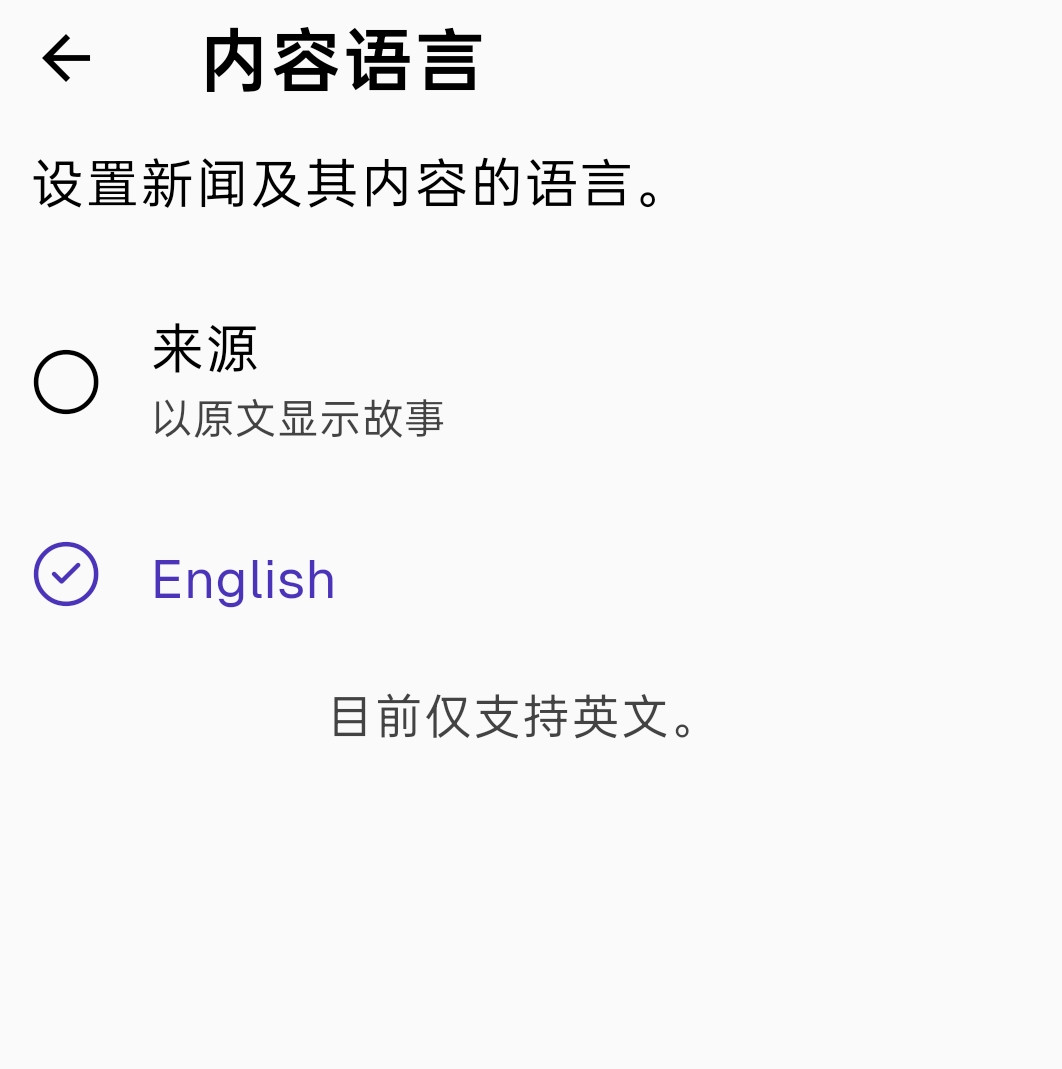
A user navigates to Settings -> Content Language. Instead of being limited to "Source" and "English", they tap on a new option (e.g., "Custom Language" or a language dropdown). They select "Chinese" (or their preferred language) and save. From then on, all English news feeds and AI summaries are automatically displayed in their chosen language. They can easily switch back to "Source" or "English" at any time.
Examples:
Apps like Feedly allow users to set a default translation language for their RSS feeds. Google Chrome has a built-in "Translate to [Language]" feature in its settings.
Integration:
This integrates directly into the existing "Content Language" settings page shown in the app. Instead of a hardcoded "English" radio button, it becomes a dynamic dropdown. It would work seamlessly with Kagi's existing AI summarization to extend its usefulness by serving users globally.
