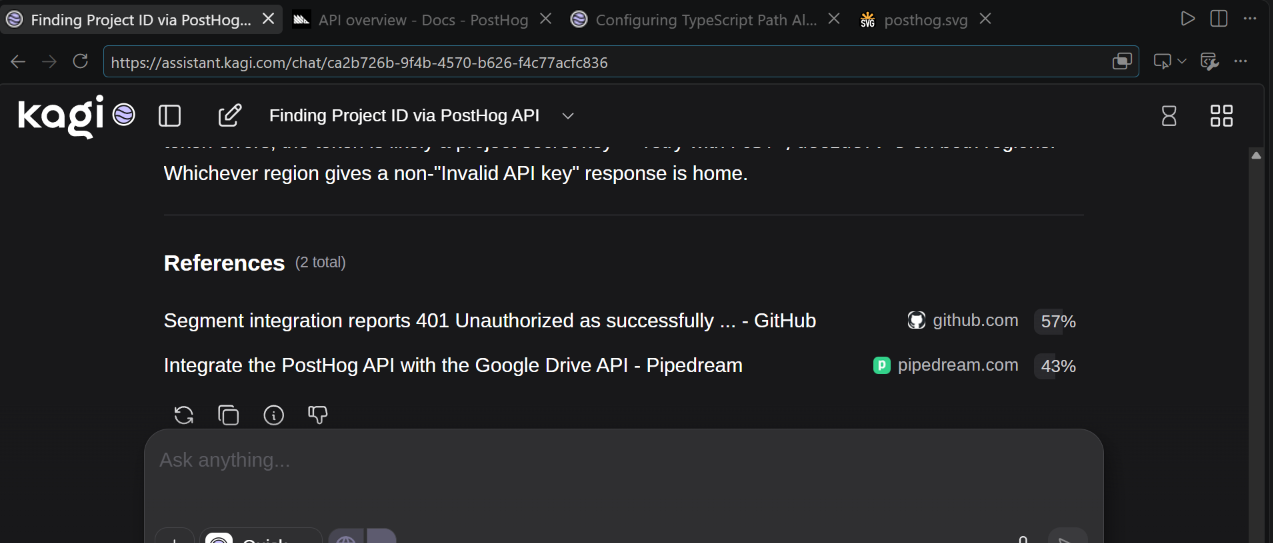
Lately I've been using VSCode's Integrated Browser a lot more during development instead of my normal external browser with the Kagi extension installed. I get to keep VSCode maximized, organize multiple browser tabs in complex layouts not possible for Chrome, and mix source code tabs, external GitHub repository references, Kagi searches, API documentation, Kagi Assistant, and bash terminals together. But it's made using Kagi a pain despite still needing to lookup reference documentation, search for packages and GitHub repositories, and make Quick Answer searches.
The address bar that opens when the integrated browser is open tries to get me to use one of the built-in search engines like Bing or DuckDuckGo. All worse than using my Kagi search subscription with ads and other junk in the way of my tiny browser view.
When I open Kagi in the Integrated Browser I am not signed in. I can sign-in but since I use my Google Account this is a long multi-step flow that doesn't remember my username, doesn't connect with my password manager, requires 2FA steps, and doesn't work with all 2FA methods. Copying a session link is easier, but still requires opening up Kagi in my external browser.
Depending on user settings and whether you are in a remote workspace each VSCode Workspace may have its own separate browser storage. As a result when I change workspaces I am yet again logged out and not able to use my Kagi subscription. Favourites are gone so I don't have a quick way to open kagi.com. And the Integrated Browser has a very easy to press "Clear Storage (Workspace)" that blows all of that away.
I know Kagi can't fix the Integrated Browser's address bar. VSCode has hardcoded the integrated browsers list and doesn't let the user specify a custom search engine URL template.
But there are a number of extra things that I think a VSCode extension could do despite that to workaround that and make Kagi easier to use during development.
- VSCode extensions can register an Auth Provider that can store multiple accounts in encrypted secrets storage and make them available to the IDE. This storage isn't tied to the workspace like browser storage. So ideally the extension would open kagi.com in the external browser starting an Authorization Code Flow, Kagi would validate the redirect URI and show an "Authorize Visual Studio Code" to ask for confirmation then a "Launching Visual Studio Code" where it opens the VSCode Extension's redirect URI, and the VSCode extension then saves the Session Link's token in the secret storage.
- If the extension registered "Kagi: Open Search in Integrated Browser" and "Kagi: Open Assistant in Integrated Browser" commands which automatically injected the Session Link token from the Auth Provider this would make for a good way to use Kagi that used as few interactions as opening the Integrated Browser and using the address bar search and eliminated the issue of needing to login.
There are some additional ideas I can think of as well:
- An optional Kagi side panel and separate "Kagi: Search in Editor" which both omitted the browser UI and stayed on https://kagi.com opening any external links, even Assistant or News, in a separate Internal Browser tab to the side, instead of navigating to it. Theoretically this could be done using an iframe in the WebView API instead of opening the Integrated Browser. But it would require some postMessage co-ordination with kagi.com to intercept links and direct them through the vscode command to open the Integrated Browser in a specific editor location.
- I would have suggested a similar functionality for Kagi Assistant, but I cannot quite think of any enhancements to make. Kagi Assistant already opens some links in a new tab which results in a tab being created as normal. And assistant doesn't need the same behaviour of opening multiple links to the side as Search. And my desire to open multiple Kagi Assistant tabs with the title reflecting which chat they belong to is already satisfied in the Integrated Browser by assistant.kagi.com controlling the document title. I just need a command to open Kagi Assistant directly without needing to sign in over and over.