I have an Apple account which I use from my MacBook, iPhone and iPad. I have Kagi for Safari installed and running on all three devices prior to OS27 upgrades, with Safari Preferences / Extension set to Share Across Devices.
MacBook and iPhone upgraded to xxOS 27, and the Kagi for Safari extension works fine. But on iPadOS my searches are not getting redirected to Kagi. In Safari, the Kagi Extension icon is not appearing (left of the address bar), and if I touch the general Extension icon at the right of the address bar, Kagi for Safari is listed but the settings panel does not open. On first attempt, there was a small orange warning triangle to the left of the Kagi for Safari line. In Settings > App > Safari / Extensions, Kagi is shown as installed, and "On" but the entry is greyed out and cannot be clicked.
I have tried multiple installations of iPad OS27, including full manual clean install, restoring (old) settings from iCloud Backup, and assisted install from iPhone. The outcome is the same in each case - Kagi for Safari is notactivated for searches, and its Extension / Settings mechanism is failing to launch.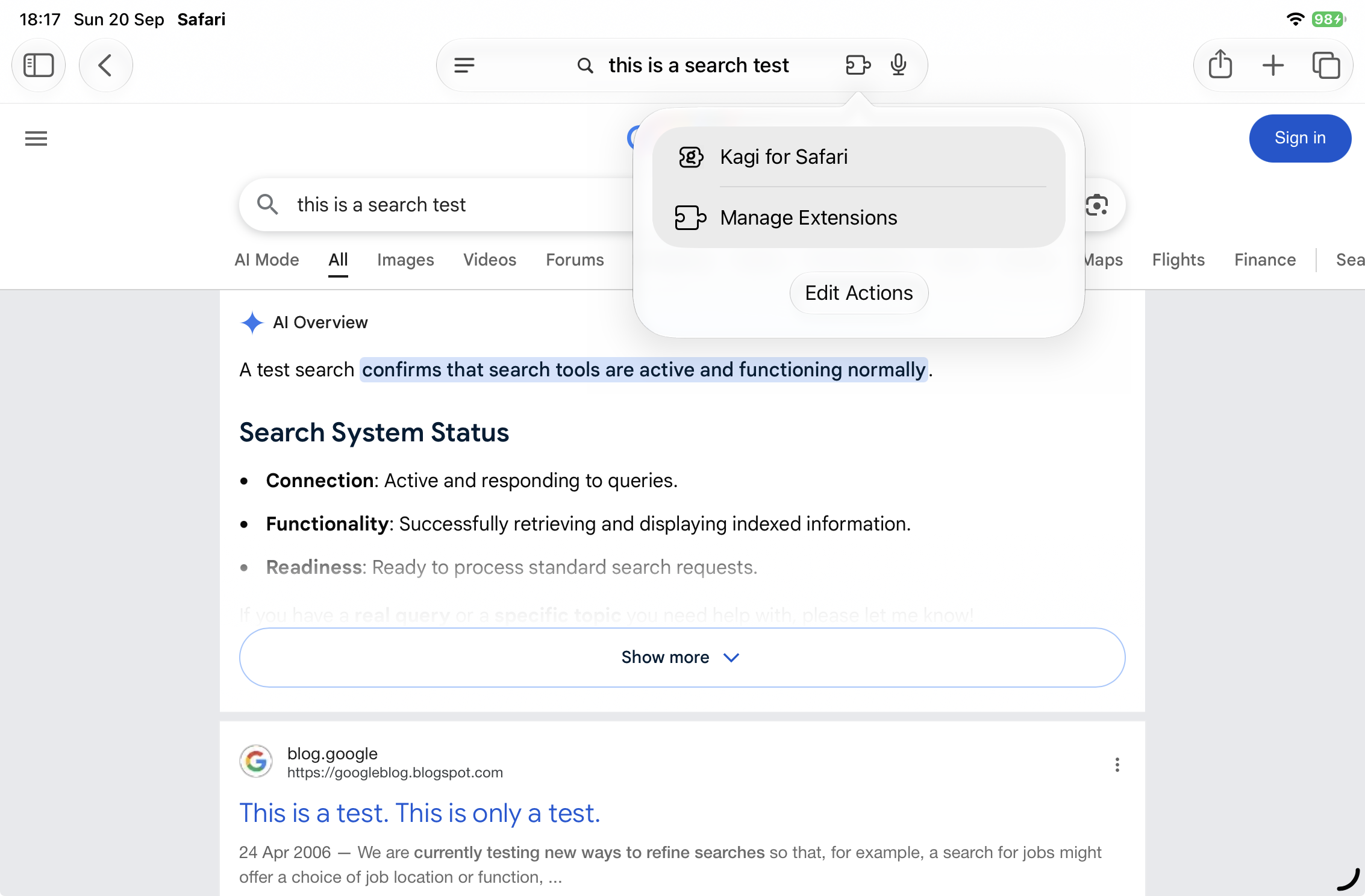
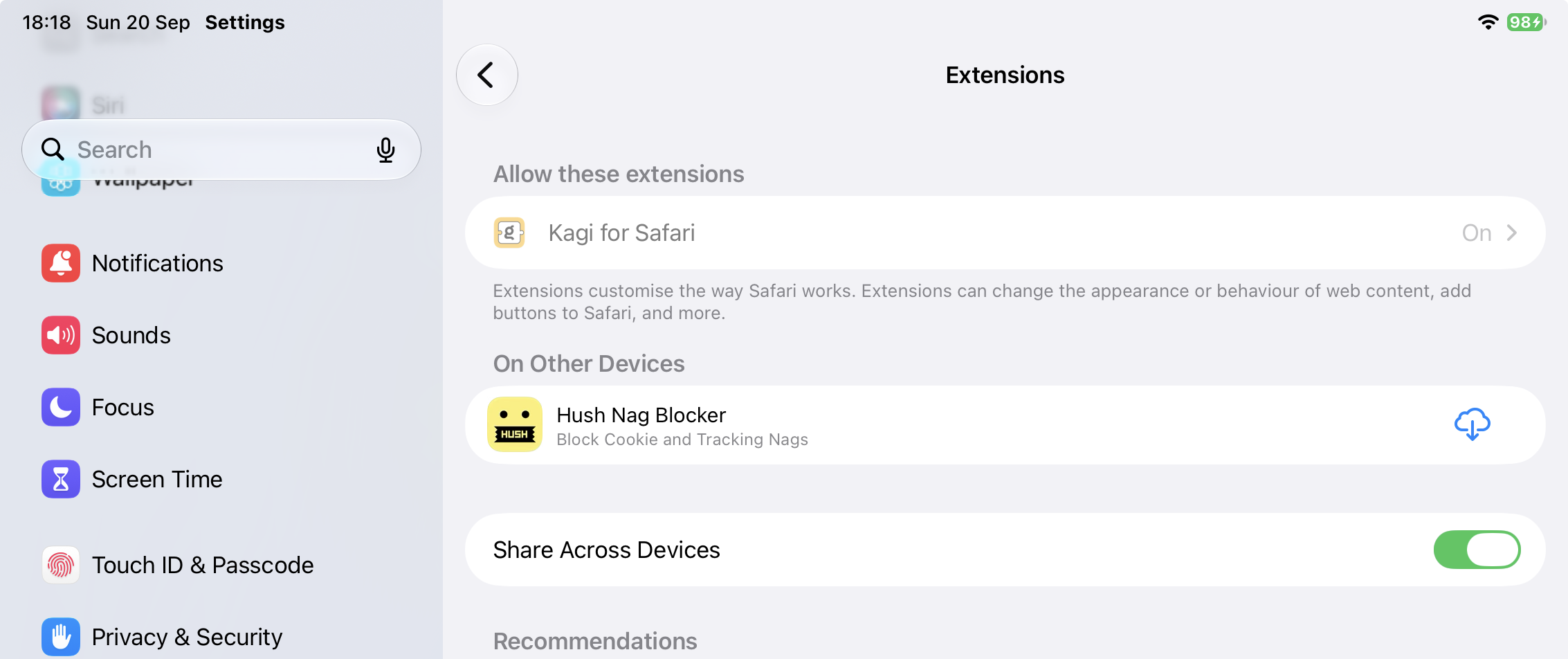
On iPad I expect to be able to access the Kagi for Safari extension settings from the Safari browser address bar, to confirm the extension is activated and to configure how it operates (which searches to re-direct, how to use in Private Window etc.) just like I was able to do in iPad OS18 before moving to iPad OS27
