When using the assistant iOS app in landscape mode, the header and message compose box take up a majority of the screen, leaving very little space to read messages from the assistant. Landscape mode is essential when viewing the tables the LLMs like to generate, but at the moment it's not very useful.
On small screens such as this iPhone 13 mini, the problem is pronounced – only the area circled in red is available for displayed content:
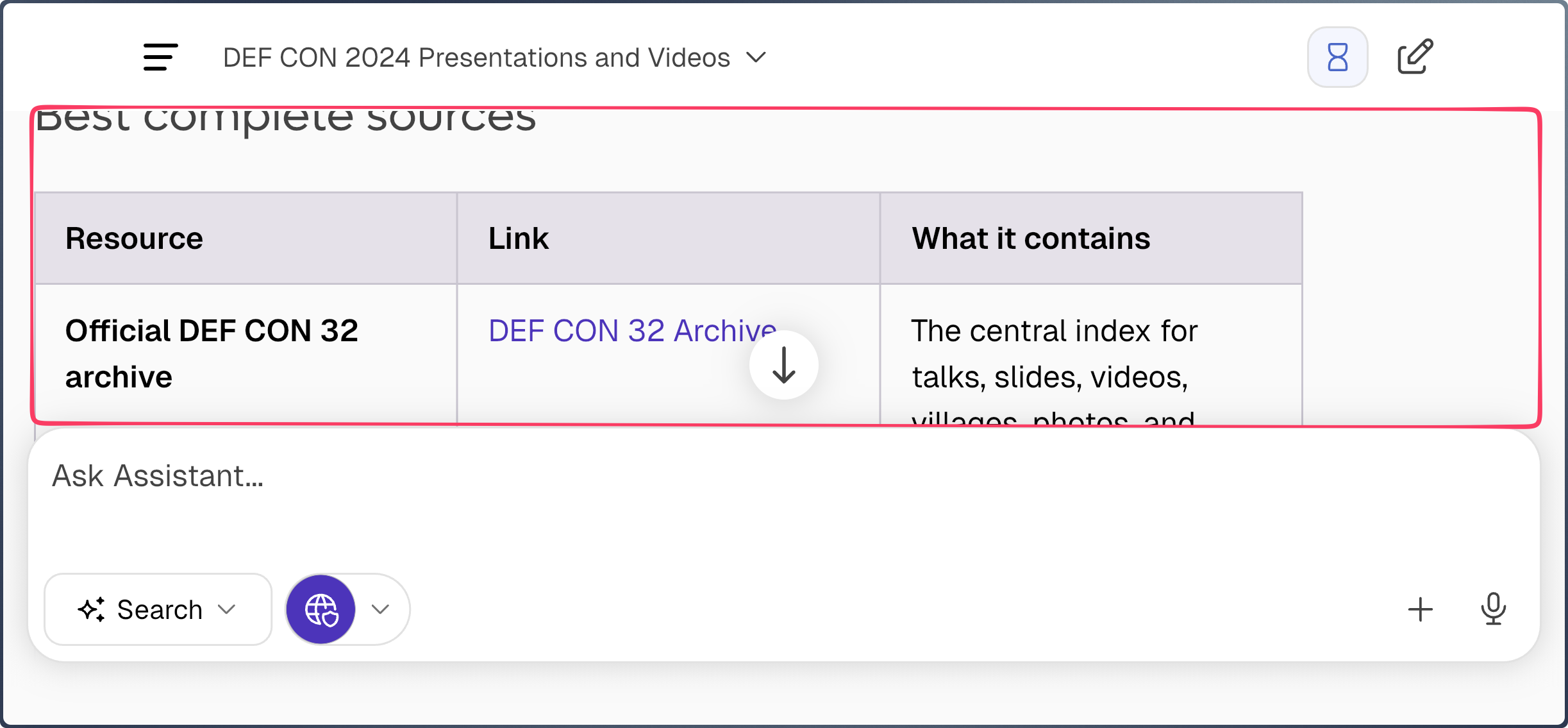
When rotating the iPhone to landscape mode, the app should automatically hide these elements:
- Header bar
- Scroll to bottom button
- Message Compose Box
Maybe show them again via tapping the background or a dedicated ⛶ button.

