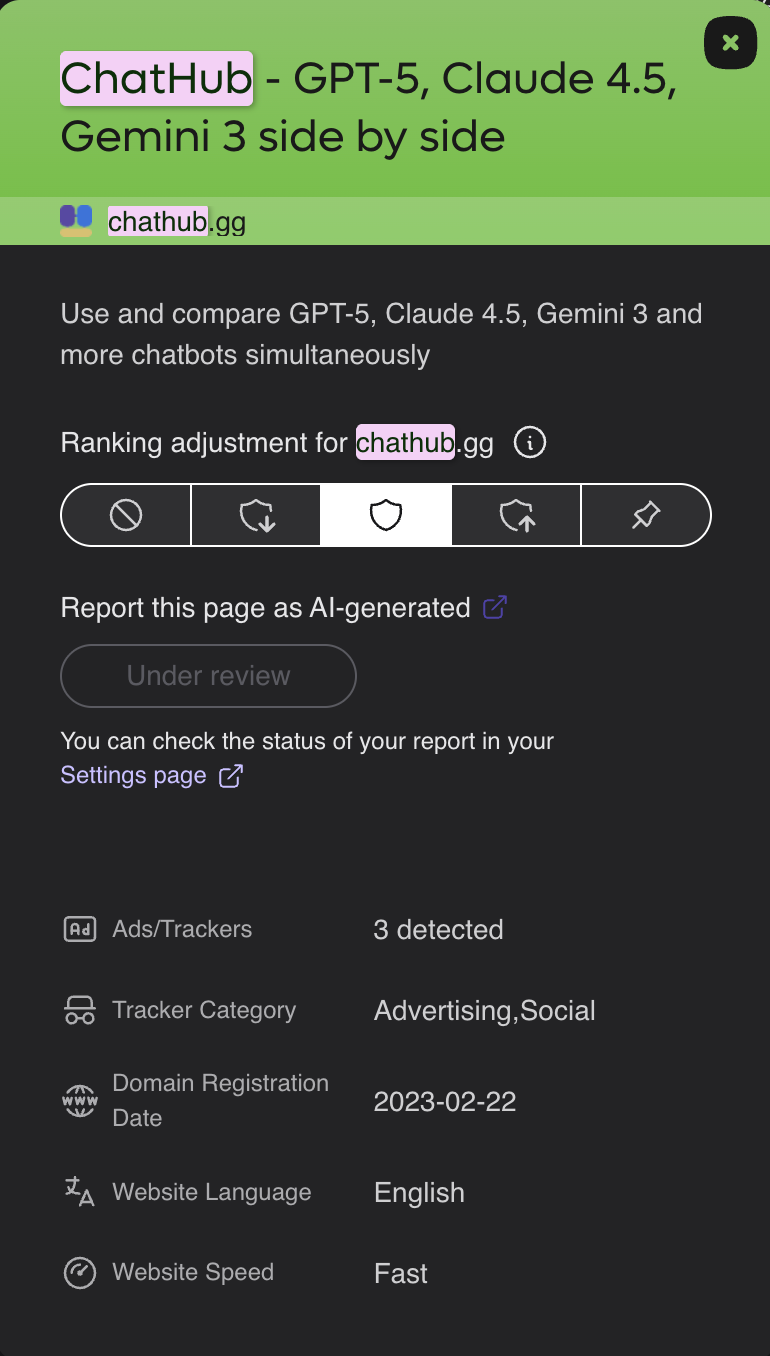
While Kagi currently allows users to block domains or report AI-generated content, there is no direct and quick way to flag malicious, scam, or phishing websites. This feature is for quickly alerting the Kagi team about dangerous sites appearing in the search results.
Implementing this will greatly improve user safety, protect less tech-savvy users from falling victim to scams, and help Kagi maintain a high-quality, trustworthy search index.
User Flow:
- A user searches for a term and notices a fraudulent result (for example, a scam site like
chathub.gg).
- The user clicks the existing shield icon next to that specific search result.
- In the popup menu, alongside the current options like "Block domain" or "Raise priority", there is a new "Report Site" button.
- Clicking "Report Site" opens a small dialog where the user can select a reason from a dropdown (e.g., "Scam", "Phishing", "Malware").
- Submitting Evidence: Crucially, the dialog should include an optional text field and an attachment button, allowing the user to submit relevant evidence (such as a brief explanation of the fraud or screenshots of the deceptive page).