When working with another language, I often translate text in both directions. This means that sometimes I open the app and start writing without first confirming that the language "direction" aligns with my input:
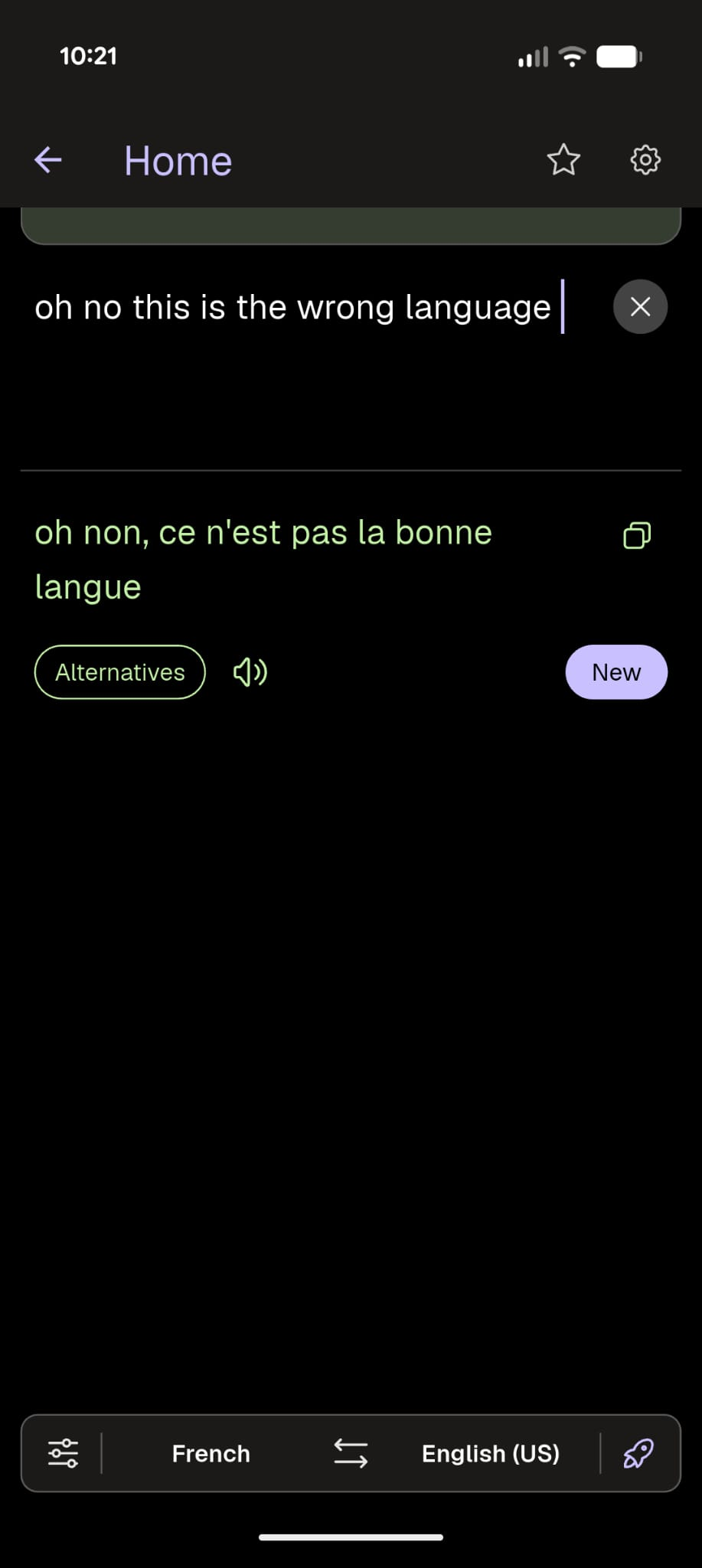
(In this particular example, it happens to give the expected translation despite the setting being wrong. The output actually varies widely.)
Noticing this (especially if I plan to further edit the input text) leads me to press the "swap language" button at the bottom:

However, that button assumes that the input text already correctly aligns with its expectations. Rather than simply swapping the input/output fields, it does a reverse translation:
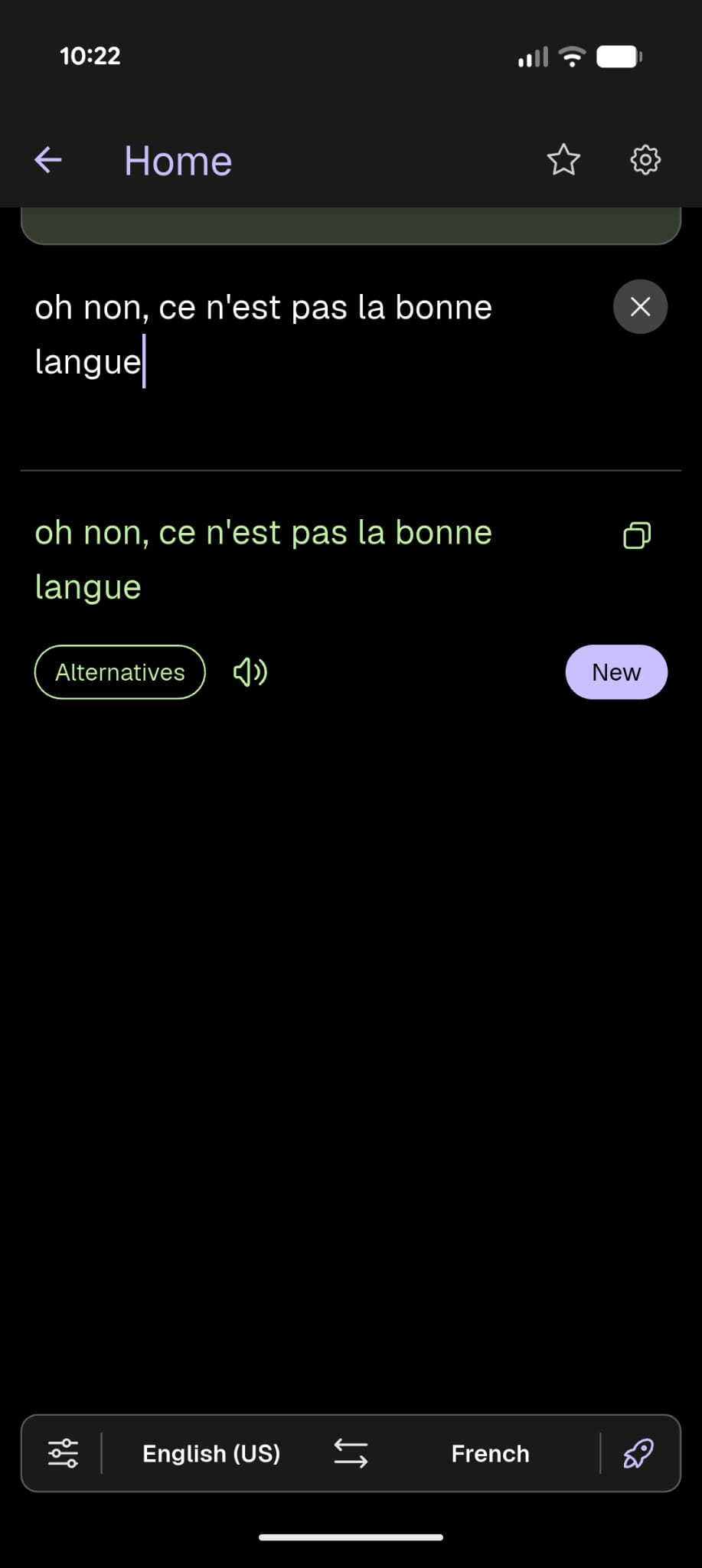
I end up losing my original English input text altogether.
If the translator is still "thinking" when I push the language swap button, the empty output text becomes the input text, deleting everything.
This problem happens on both the mobile app and when using the website.
Given that I can only enter text into one "side" of the translation, the current "swap language" functionality feels rather useless to me. There's no situation where I'm seeing output text and want to turn it into input text.
Subjectively, the more natural behavior would be for the language swap button to change only the language settings, and not wreck the text that I've worked to input. Others may feel differently though, so I'd be happy with any way to achieve that swap without losing my text.
