This feature adds keyboard-driven interaction to the model selector dropdown. Currently, after filtering models by typing a search term, the only way to select a model is by clicking it with a mouse. This breaks keyboard flow and slows down users who prefer or rely on keyboard navigation. The proposed change allows:
Enter to select the model when only one result matches the search term (auto-confirm).
Arrow keys (↑/↓) to step through multiple matching results, with Enter to confirm the highlighted selection.
This makes the model selector consistent with standard searchable dropdown/dropdown-autocomplete patterns and removes an unnecessary context switch to the mouse.
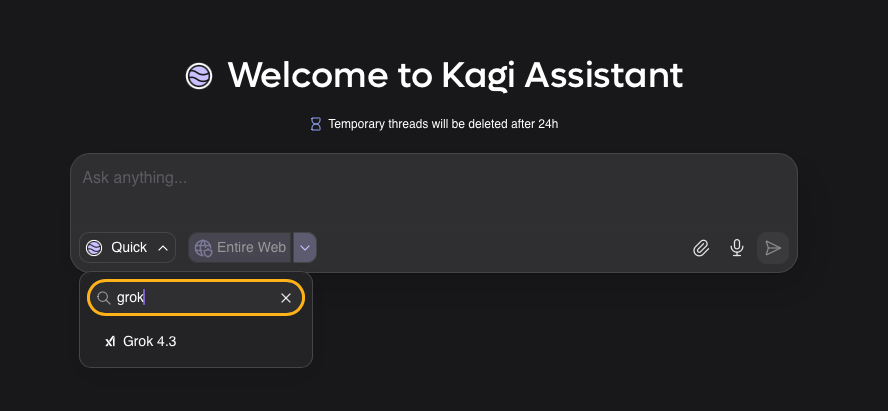
Single-match auto-confirm:
A user types "grok" in the model search field. Only one model matches (e.g., "Grok"). Pressing Enter immediately selects it - no click needed.
Multi-match arrow navigation:
A user types "gemini" and three models appear (Gemini 2.5 Pro, Gemini 3.1 Flash Lite, ...). The first result is highlighted by default. The user presses ↓ to move to the next result, ↑ to go back, and Enter to confirm the currently highlighted model.
Escape to dismiss:
Pressing Esc closes the dropdown without changing the selection, consistent with standard patterns.
