Description:
Translation button provided by Kagi Translate is no longer working in the latest release candidate. In older versions of Orion, the button was fully functional and working as expected, allowing quick translation of selected text or pages via Kagi Translate.
Actual behaviour:
The button is absent. No translation option from Kagi is available.

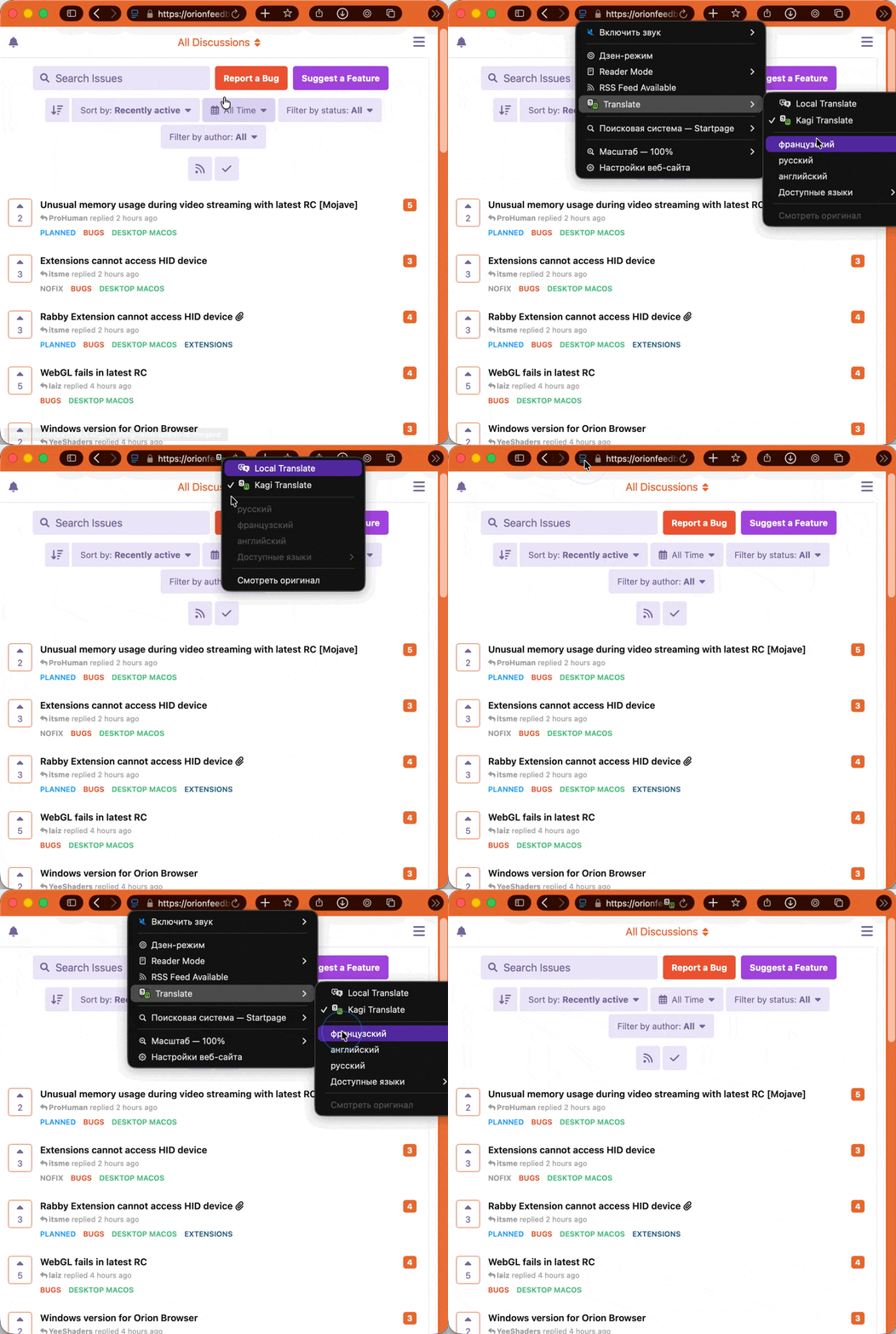
Steps to reproduce:
- Install or update to Orion RC 1.0.6 (145.2‑rc) on macOS 26.3.1.
- Visit any web page
- Expand address bar menu in Orion
- Look for the Kagi Translate
- Make sure Kagi Translate is enabled instead of Local Translate
- Choose any language to translate into
- Kagi Translate icon in the address bar will blink and change ti red triangle with an exclamaiton character for a second
Expected behaviour:
The user should get page translation by selecting Kagi Translate
Additional notes:
In previous Orion versions (e.g., earlier RCs or stable releases prior to 1.0.6), the Kagi Translate button was present and functional.
The issue persists after restarting the browser and disabling/re‑enabling related flags.
No errors are shown in the console; the feature seems to have been removed or inadvertently broken in this RC build.
Environment:
Apple macOS 26.3.1 (25D2128)
Orion RC Version 1.0.6 (145.2‑rc), WebKit 625.1.8
Any chance to restore the Kagi Translate button functionality? Let me know if you need any further logs or reproduction details.
Best regards,
Yuriy
