Currently, the “Alternatives” option only appears when opening the Kagi Translate app directly. This feature is missing when the app is invoked through Android’s text selection menu (select text → Translate with Kagi) or via the Android share sheet (share text → Kagi Translate).
Adding the “Alternatives” option in these contexts would make the translation experience consistent across all entry points. It ensures users don’t lose functionality when they use the faster, system-integrated ways of accessing the app. This improves usability and reduces friction, since users won’t need to reopen the main app manually just to see alternative translations.
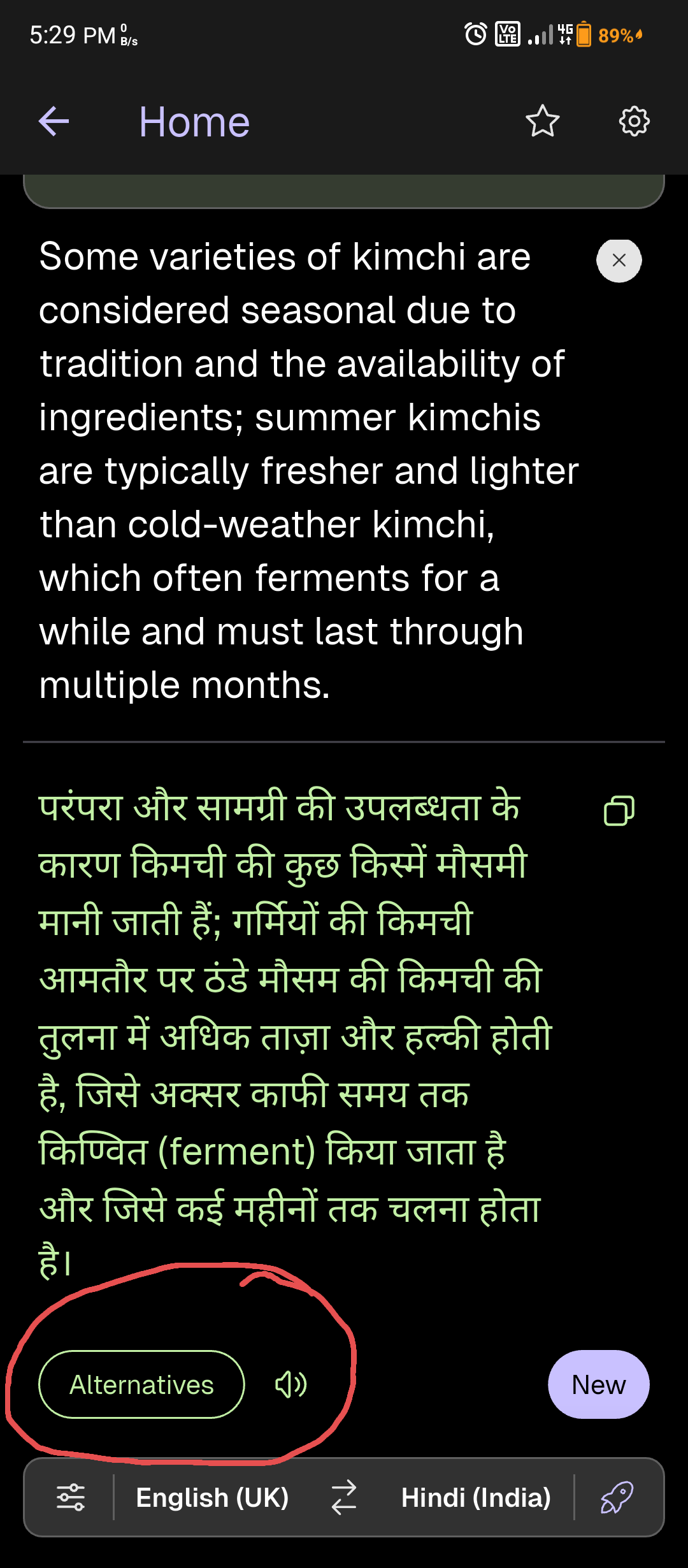
Scenario 1: Text Selection Menu
A user highlights text in any app (e.g., browser, messaging app), taps “Translate with Kagi,” and immediately sees the translation along with the “Alternatives” option. This allows them to quickly compare different translations without leaving the current app.
Scenario 2: Android Share Sheet
A user shares text to Kagi Translate via the share menu. The translation result should also include the “Alternatives” option, giving them the same flexibility as when opening the app directly.
Comparison Example (Google Translate)
Google Translate provides an “Open in main app” option when used from text selection or the share sheet. This ensures users can access the full set of features even when starting from outside the app. A similar approach in Kagi Translate would extend the usefulness of the “Alternatives” feature and align with user expectations based on other translation apps.
